Singapore ID Photo Manual: Beat MyICA Rejections with AI
The technical standards behind Singapore's digital photo submissions, and how to avoid MyICA rejections using AI photo tools.
If you've lived in Singapore for any length of time, you know the specific brand of anxiety that comes with clicking "Submit" on the MyICA portal. You've spent twenty minutes carefully filling out forms, verifying your address, and double-checking your IC number. Then comes the upload. To save time, you might search for a passport photo maker or a way to make passport size photo online free, but a simple crop often isn't enough. You take a photo against your hallway wall, adjust it as best you can, and hope for the best.
Three days later, the dreaded email arrives: "Photo Not Acceptable."
It's maddening because, to your eyes, the photo looks fine. It’s clear, it's definitely you, and the background is white-ish. But you aren't being judged by a human being—at least not initially. You're being judged by a sophisticated biometric algorithm that doesn't care if you look "good." It cares about RGB values, pixel geometry, and the exact distance between your pupils.
In this 2024/2025 guide, I’ll break down why the old ways of taking passport photos are failing and how using a specialized passport photo app is the only way to ensure 100% compliance.
The 2024/2025 ICA Technical Standard
Most people think a passport photo is just a "small photo." But for the Immigration & Checkpoints Authority, it's a data set. Since Singapore transitioned to 100% digital submissions for many documents, the technical threshold has skyrocketed. It's no longer about a physical print; it's about digital compatibility with ISO/IEC 19794-5 international standards for biometric identification.
Dimensions: The 400x514 Pixel Precision
You’ll see the sg passport photo size listed as "35mm wide by 45mm high" everywhere. If you were printing a photo to paste onto a physical form at a passport photo shop near me, that’s all you’d need. In 2024, the digital dimension is what actually matters: 400 by 514 pixels.
Why this specific number? It’s a precise aspect ratio that allows the ICA’s facial recognition software to map your face onto a biometric grid. If you upload a photo that is 400x400 (a square), the system will stretch your face to fit the 514-pixel height, making you look like a Funko Pop and triggering an instant rejection.
The 70% Rule: Why 'Funko Pop' Scaling Triggers Rejections
This is where most DIY attempts fail. The ica passport photo requirement specifies that your face (from the chin to the crown of the head) must occupy between 25mm and 35mm of the 45mm height. In digital terms, your head must take up about 50% to 70% of the vertical space.

If you stand too far back, your face is too small for the biometric sensors to read your features. If you’re too close, your ears might be cut off. It’s a literal game of millimeters. The AI at ICA looks for "anchors"—your eyes, nose, and mouth—and if they aren't where the algorithm expects them to be, it flags the photo as non-compliant.
The 'White Wall' Myth and the Physics of Lighting
I’ve heard it a thousand times: "I'll just stand against the white wall in my living room." Here’s the problem: Your living room wall isn't white. Under domestic LED or fluorescent lighting, it’s likely a muddy yellow or a dull grey. While your brain compensates and "sees" white, the ICA’s computer sees a background that fails the "evenly lit, plain white" test.
Why Your 'White' Wall Looks Grey to a Computer
To a digital sensor, a white background is only white if it's reflecting enough light. If you stand too close to the wall, you cast a shadow. If you stand too far away, the wall is under-exposed. ICA’s AI checks for background uniformity. If the top-left corner of your photo has a different RGB value than the bottom-right, the system flags it as an "uneven background." This is the #1 reason for DIY rejections in Singapore.
The Shadow Menace: Background and Facial Silhouettes
Shadows are the absolute enemy of biometrics. A shadow under your nose or chin can be misinterpreted by the software as a facial feature or a change in face shape. Similarly, if there is a "halo" shadow behind your head on the wall, the AI can't determine where your hair ends and the wall begins.
The Pro Tip: Use natural, diffused light. Face a large window during the day, but don't let the sun hit you directly. You want soft light that fills in the shadows under your eyes and chin.
The Newborn & Toddler Masterclass
Taking a newborn passport photo is arguably one of the most stressful rites of passage for new parents. How do you get a two-week-old to look at a camera, keep their head straight, and not cry—all while ensuring no adult hands are in the frame?
The 'Lying Down' Technique and the White Sheet Hack
Don't try to hold the baby up. Instead, lay them on a flat, white sheet on the floor or a firm bed. Position yourself directly above them. This ensures their head is relatively straight and their neck isn't slumped. It also prevents the baby from twisting away from the camera.
ICA Leniency: What is Allowed for Infants
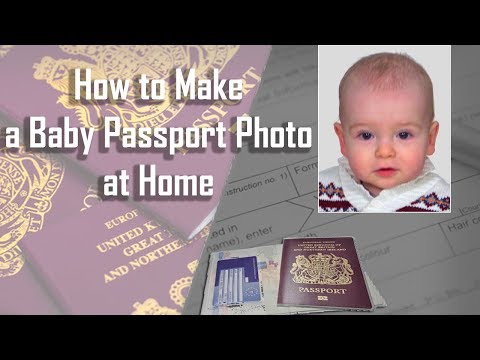
The official ICA photo guidelines actually allow for some leniency with infants under one year old. They don't need to be looking directly at the camera, and their eyes don't have to be fully open. However, the background must still be white, and there must be no toys, pacifiers, or visible hands supporting the head.
Using a specialized passport size photo editor like IC Photo Singapore here is a lifesaver. You can take a photo of the baby on a bedsheet, and the AI will handle the difficult task of stripping out the background folds and shadows, leaving a clean, compliant image.
The Global Visa Matrix: US, China, and Malaysia
Living in a global hub like Singapore means you aren’t just dealing with the ICA. You might be applying for a US Visa, a China Visa, or a Malaysia passport renewal. Each has its own specific requirements.
| Document Type | Dimensions | Key Requirement |
|---|---|---|
| Singapore Passport | 35x45mm (400x514px) | Plain white background, matte/semi-matte |
| US Visa | 2x2 inches (600x600px) | Strictly no eyeglasses |
| China Visa | 33x48mm | Specific head width (15-22mm) |
| Malaysia Passport | 35x50mm | White background, no shadows |
- The US Visa Square Trap: Unlike Singapore's rectangular requirement, the US Department of State requires a perfect square. Since 2016, you cannot wear glasses in US visa photos.
- China Visa Precision: China visa photos are particularly tricky because of the head width requirement. This is a much narrower margin than the Singapore standard.
- Malaysia Passport: While the malaysia passport photo requirement traditionally allowed blue backgrounds, their digital renewal system now primarily uses white. Check the Malaysian Immigration Department for the latest updates on passport size photo malaysia specs.
AI vs. The Traditional Photo Booth
Why shouldn't you just go to the passport photo booth at the MRT station or look for where to take passport photo Singapore physical shops?
- Fixed Lighting: A passport photo machine has fixed flashes that often create harsh glares on glasses or foreheads.
- No Compliance Check: A booth doesn't tell you if your photo will pass the MyICA portal; it just prints what it sees.
- Digital Quality: When booths provide a digital code, the resolution is often lower than what a modern smartphone can produce.
Using a free passport photo app might seem tempting, but many lack specific ICA biometric validation. A professional passport photo maker like IC Photo Singapore uses AI to check the photo against current rules before you ever pay or submit.
Frequently Asked Questions
Can I take my own passport photo with my phone?
Yes, you can take a photo with a smartphone, but it must meet all ICA technical specifications, including the 400x514 pixel size and uniform white background. Using a dedicated passport photo app helps automate this process.
Why was my passport photo rejected for being "too dark"?
This usually happens due to poor lighting or digital "noise" from taking a photo at night. Always take your photo during daylight near a window for the most natural, compliant result.
Do I need to remove my glasses for a Singapore passport photo?
While not strictly forbidden by the ICA if there is no glare and your eyes are clearly visible, it is highly recommended to remove them to avoid "facial features not clear" rejections.
Troubleshooting Your Rejection
If you've already received a rejection, look at the error message carefully:
- "Image is too dark or grainy": Re-take during daylight. Smartphone cameras create sensor "noise" in low light.
- "Facial features not clear": Tuck your hair behind your ears. The ICA's AI needs to see your entire facial oval clearly.
- "Inappropriate Background": Even if the wall is white, if there's a light switch, shadow, or texture, it will be rejected.
The Lifetime Remake Guarantee
We built IC Photo Singapore because we were tired of the guesswork. Our AI doesn't just crop; it validates. When you upload, our algorithm performs a multi-point check: biometric alignment, background neutralization, and lighting correction.
We offer a Lifetime Remake Guarantee. If the ICA or any embassy rejects your photo for any reason, we will provide a corrected version for free. Don't let a "Photo Not Acceptable" notification delay your next trip. Use a professional passport photo maker and get it right the first time.
Ready to Create Your Photo?
Get your perfect passport, IC, or visa photo in minutes. AI-powered, ICA-compliant, instant download.
Create Your Photo Now