2026 ICA Passport Photo Guide: Beat the Biometric Checks
Why passport photos get rejected by the MyICA portal and how to take a photo at home that meets ICA's biometric standards.
If you’ve spent twenty minutes navigating the MyICA portal only to receive an automated rejection email three days later, you’re not alone. The message is usually a vague slap in the face: "Photo does not meet requirements." No specifics, no helpful hints—just a digital dead end.
In 2026, the Immigration & Checkpoints Authority (ICA) doesn't rely on humans alone to judge your photo. They’ve integrated advanced biometric algorithms into their workflow. If your lighting is off by a few degrees or your head is tilted by a fraction of an inch, the system flags it instantly.
I’ve analyzed why these photos fail for years. It’s rarely about whether you look "good." It’s because the photo fails to provide the high-fidelity 'biometric map' needed for Changi’s New Clearance Concept. This guide is your technical roadmap to getting it right the first time using a passport photo app or professional online tools.
The 'Email of Doom': Why ICA Rejections are Rising in 2026
Singapore is leading the world toward a "contactless" border experience. According to the ICA's New Clearance Concept (NCC), by 2026, most travelers at Changi Airport use iris and facial recognition rather than physical passports at automated gates. For this to work, the initial photo you upload to the ICA database must be technically flawless.
The Algorithmic Gatekeeper
When you upload an image, the software scans for "biometric landmarks." It measures the distance between your pupils, the width of your nose, and the exact position of your jawline. If a shadow obscures one eye, the AI can't calculate the distance accurately. If your hair covers your eyebrows, a primary tracking point is lost. Rejection isn’t an insult to your appearance; it’s a technical failure of the data you provided.
The Biometric Blueprint: What the ICA Actually Sees
Let’s look at the hard requirements for a passport size photo editor. The ICA mandates a photo that is 35mm wide and 45mm high. But the framing is where most DIY attempts fall apart.
- Head Height: Your head (from chin to crown) must occupy between 25mm and 35mm of that vertical space.
- The 3-Month Rule: This is non-negotiable. If you try to use the same photo from an IC issued two years ago, the system cross-references your file and rejects it automatically.
- Sharpness: You need a high-resolution image. Grainy photos from an older smartphone fail because the edge detection for your face becomes 'fuzzy' to the AI.
These standards come from the International Civil Aviation Organization (ICAO) Document 9303. Singapore follows these to the letter to ensure your face is readable in London, Tokyo, or New York.
The 35x45 Rule and Beyond
For a free passport photo app to work, it must adhere to specific dimensions. The sg passport photo size is strictly 35mm x 45mm, with a resolution of at least 600 dpi. The image must be in jpg, jpeg, heic, heif or png format, with a file size of up to 8MB.
ICAO Document 9303 Standards
The international standard requires that the photo be taken against a plain white background with no shadows. It also specifies a neutral facial expression. Understanding these passport size photo dimensions is the first step to a successful application.

Lighting: The Number One Reason for Rejection
I see more rejections due to poor lighting than any other factor. Most people think "the brighter, the better," but that often leads to overexposure. When you wash out your skin tone, you erase the facial contours the AI needs to see.
The Shadow-to-Face Ratio
Your face must be evenly lit. The biggest culprit? Overhead ceiling lights. Standing directly under a light bulb creates shadows in your eye sockets and under your nose. This is a deal-breaker for biometric software because it obscures the very features it’s programmed to track.
Window Light vs. Artificial Glare
The best studio isn't a dark hallway; it's a window during the day. Don't let direct sunlight hit your face—that causes harsh shadows and squinting. You want "soft," diffused light. If you’re in an HDB, standing about one meter away from a window with the light hitting you head-on is the gold standard.
The Smartphone Studio: Mastering the DIY Shot
You don't need a professional photographer, but you do need to stop taking selfies. If you are looking for a passport photo maker, your smartphone is capable, but only if used correctly.
Why the Selfie Camera is Your Enemy
Front-facing selfie cameras usually have wide-angle lenses. They’re designed to cram more people into a frame, but they cause Lens Distortion. This makes your nose look larger and your ears disappear. For a passport photo, this distortion changes your biometric profile.
The 'Third-Person' Advantage
When someone else takes the photo, they can spot if your shoulders are uneven or if your head is tilted. Use a friend or a tripod. Stand at least 1.5 meters away and use the zoom slightly. This flattens the facial features, providing a much more accurate representation of your face. This is the key to how to make passport size photo online free without professional equipment.
The Newborn Blueprint: Conquering the Hardest Photo
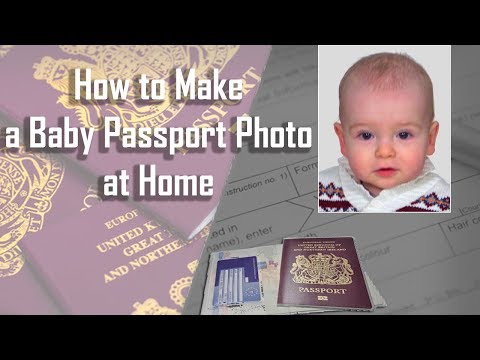
Getting a newborn passport photo that is compliant is a rite of passage for parents in Singapore. It’s notoriously difficult. Babies don't take direction, they can't support their own heads, and they rarely look at the camera on command.
The Bed-Sheet Method
Don’t try to hold the baby up against a wall. Your hands will inevitably end up in the shot, which is an instant rejection. Instead, lay a plain white sheet on a flat surface like a bed or the floor. Lay the baby on their back. Stand directly over them and take the photo. This keeps the background clean and the baby safe.
Timing the Shot
You need the eyes open and the mouth closed. The best window is ten minutes after a nap and a feed. Use a squeaky toy held right next to the camera lens to grab their attention for that split second of focus.
Grooming and Attire: Solving for Style and Culture
Singapore’s official photo guidelines respect religious practices while maintaining security. Here’s how to navigate them.
The Spectacle Struggle
Technically, you can wear glasses if there’s no glare. In practice? Take them off. Lens glare is the second most common reason for rejection. Even high-end anti-reflective coatings can catch a 'hot spot' from a window. If you must wear them, ensure the frames don't cover any part of your eyes.
Religious Headgear Requirements
Hijabs, turbans, and other religious headgear are perfectly acceptable. The core requirement is that your entire face—from the bottom of the chin to the top of the forehead—must be visible. The edges of the headgear should not cast any shadows on your face.
Post-Processing: To Edit or Not to Edit?
This is where many DIY attempts fail at the finish line. People take a decent photo and then try to "fix" it in a generic beauty app.
The Danger of 'Beauty' Filters
The MyICA portal can detect skin-smoothing filters. If your skin looks like plastic, the photo will be rejected. The system needs to see natural skin texture to verify authenticity. Avoid using any free passport photo app that includes automatic retouching.
Background Removal Science
ICA requires a "matt white" background. If you use a white wall at home, it often looks grey or yellow in photos. While you can use software to clean this up, it must be precise. If there’s a 'halo' or jagged edges around your hair, the photo is toast.
The AI Advantage: Why 'Rejection Insurance' Matters
This is why tools like IC Photo Singapore are becoming the standard. Instead of guessing if your photo is compliant, you use a dedicated engine built for Singapore's 2026 standards.
Automated Compliance Checks
When you upload to a specialized editor, the AI performs a 20-point check. It measures the head height, eye-line alignment, and background contrast. It’s a pre-check before you submit to the government. If the AI flags an issue, you fix it before wasting your time on the MyICA portal.
Frequently Asked Questions
What are the ica passport photo requirements for 2026?
The photo must be 35mm x 45mm, taken within the last 3 months, against a white background, with a neutral expression and no headgear (except for religious reasons).
Where can I find a passport photo shop near me in Singapore?
While traditional shops exist in most HDB hubs and malls, many residents now prefer using a passport photo app or online service for convenience and guaranteed compliance.
Can I use a Malaysia passport photo for Singapore?
The malaysia passport photo requirement and passport size photo malaysia are similar to Singapore's, but the background for Malaysia is typically blue, whereas Singapore requires white. Always check specific country standards before submitting.
Conclusion
Taking your own passport photo at home gives you control. By understanding the 'rejection science' the ICA employs and using a professional passport photo maker, you can ensure your next application is processed without a hitch. Don't leave your travel plans to chance. Use the right lighting, avoid the selfie lens, and let AI validation do the heavy lifting. Your future self—standing at the automated gate at Changi—will thank you.
Ready to Create Your Photo?
Get your perfect passport, IC, or visa photo in minutes. AI-powered, ICA-compliant, instant download.
Create Your Photo Now