Why ICA AI Photo Rejections Happen and How to Avoid Them
Why MyICA photo checks reject photos and how to avoid it: a practical guide to ICA photo requirements for Singaporeans and residents.
If you've recently tried to renew your Singapore passport or apply for Permanent Residency (PR), you've likely hit a wall. You stand against the whitest wall in your HDB, grab your flagship smartphone, and snap what looks like a professional shot. You upload it to the MyICA portal, wait, and then receive the dreaded notification: “The digital photo submitted is not of high quality / does not meet requirements.”
It is beyond frustrating. Your phone camera can capture the moon, yet ICA says the photo isn’t good enough? The secret lies in using a dedicated passport photo app designed for biometric compliance. The automated system at the Immigration & Checkpoints Authority (ICA) doesn’t care about megapixels; it cares about the mathematical distance between your pupils and the total absence of "radial distortion" in your facial geometry.
The High Stakes of the MyICA Upload: Why Your Flagship Phone Still Fails
Singapore’s shift to a 100% digital application process moved the burden of quality control from the professional photographer directly onto you. When you upload a photo to the MyICA portal, an AI algorithm—not a human—is the first gatekeeper. This AI is trained on ICAO (International Civil Aviation Organization) standards, the global benchmarks for secure travel documents.
The 'Vague' Rejection Letter
ICA’s feedback is notoriously cryptic. "Image not of high quality" usually means uneven lighting caused the AI to lose track of your facial contours. If they say "facial features not clear," it’s often because your phone’s 'Portrait Mode' blurred the edges of your ears—a total dealbreaker for biometric recognition. This is why a specialized passport size photo editor is essential for success.
The Move to 100% Digital
As part of the Smart Nation Singapore initiative, the government has streamlined identity verification. However, this efficiency relies on "machine-readable" images. If your photo doesn't provide a clean data set for the facial recognition algorithm, the digital-first system simply cannot process your application.
The Anatomy of a Biometric Photo: Beyond Just 35x45mm
While we all know the 35mm x 45mm dimensions, the MyICA portal prioritizes pixel density and aspect ratio over physical millimeters.
Pixels vs. Millimeters: The Math of Compliance
For the MyICA portal, your photo should ideally be 400 x 514 pixels. If you upload a massive 12-megapixel photo, the portal’s auto-crop tool often cuts off the required "headroom"—the vital space between the top of your hair and the frame edge—leading to an instant rejection. Using a passport photo maker ensures these technical specifications are met before you upload.
The 'Golden Triangle' of Facial Biometrics
Biometric software focuses on the 'Golden Triangle'—the area from the center of your eyes down to the tip of your chin.
- Eye Alignment: Your eyes must be perfectly horizontal. Even a 5-degree "Selfie Tilt" throws off the algorithm.
- Philtrum Clarity: The area between your nose and upper lip must be clear of shadows.
The Science of Rejection: Why Your Smartphone Lens is the Problem
You might think the latest iPhone or Samsung guarantees success, but wide-angle lenses actually create significant hurdles for ID photos.
Radial (Barrel) Distortion: Why Your Nose Looks Bigger
Most smartphone lenses are wide-angle (24mm to 26mm). These lenses suffer from barrel distortion. If you hold the phone too close for a selfie, the lens warps your features, making your nose look larger and your ears seem to disappear. ICA’s software compares this distorted photo against your previous ID; if the proportions are off, the system flags a mismatch.
The AI Filter Trap
Modern phones use "computational photography" to smooth skin and adjust range. While great for social media, it erases the "micro-textures" used to verify identity. If your face looks too "waxy," the system will reject it for being "digitally altered."
The 7 Deadly Rejection Sins (And How to Fix Them)
Avoid these common pitfalls that lead to 90% of manual rejections in Singapore:
- The Shadowy Profile: One side of your face is brighter than the other. Always use front-facing, balanced light.
- Hair Over Brows: Your eyebrows are key biometric markers. Keep them visible.
- The Tinted Lens: Even slight blue-light filters on glasses trigger rejections. It is safer to remove them.
- The 'White' Wall Myth: Most HDB walls are cream or off-white. ICA requires a stark, neutral white background.
- Shoulder Slump: Uneven shoulders suggest a body tilt, which affects the facial plane.
- The Open Mouth: Even a tiny smile changes the nose-to-chin distance. Keep a neutral expression.
- Low Headroom: Do not crop too tightly. The AI needs a "buffer zone."

Smartphone Photography Masterclass: Turning Your HDB into a Studio
You don’t need a pro studio, but you do need to understand light and distance. If you want to make passport size photo online free, follow these expert steps first:
Lighting: The 'Cloudy Day' Secret
The best light is "diffused" light. Stand facing a large window during the day, but not in direct sunlight. If it is too bright, a thin white curtain acts as a perfect softbox to even out the shadows on your face.
Distance and Zoom: The Biometric Sweet Spot
To avoid barrel distortion, never use the selfie camera.
- Have someone else take the photo using the back lens.
- Stand about 2 meters away from the camera.
- Use the 2x Optical Zoom. This flattens the facial features and accurately represents your facial geometry—exactly what the ICA AI wants to see.
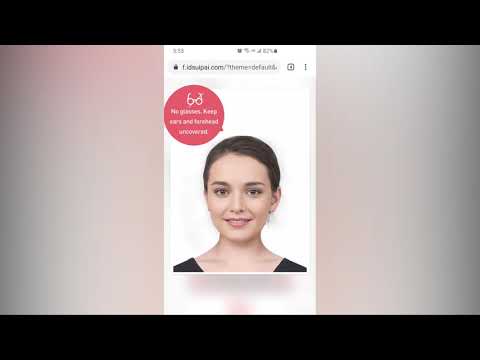
The Newborn Ninja: Expert Hacks for Infant Passport Photos
Taking a passport photo of a newborn is notoriously difficult. The baby must have their eyes open, mouth closed, and head straight. This is a common requirement for parents applying for the Baby Bonus scheme or infant passports.
The 'White Sheet' Trick: Don't try to hold the baby up against a wall. Instead, lay a clean white bedsheet on the floor. Place the baby on their back. This ensures the background is flat and white, and the baby’s head is naturally supported. Stand over the baby safely and use the 2x zoom hack. To get them to look at the lens, use a high-contrast toy right next to the camera.
Navigating PR, Student Pass, and LTVP Nuances
While the 35x45mm rule is standard, the stakes for PR (Permanent Residency) and Long-Term Visit Pass (LTVP) applications are higher because the processing time is so long.
- PR Applications: These are reviewed stringently. Any hint of "beautification" or filters can result in a request for a re-upload, delaying your application by weeks.
- Student Passes: Ensure your photo is not a scanned version of a physical photo. Digital-to-digital is the only way to ensure the pixel density stays high enough for the Solar+ system.
The IC Photo Singapore Advantage: Your Compliance Firewall
You can take the photo yourself, but why gamble with a 3-day waiting period only to get a rejection? Using a dedicated free passport photo app might seem tempting, but professional-grade AI enhancement provides a "Compliance Firewall."
IC Photo Singapore acts as your expert auditor. When you upload your photo, we run it through the same biometric logic used by the ICA.
- Background Removal: We instantly replace your "not-quite-white" wall with a 100% ICA-compliant neutral white background.
- Size & Aspect Ratio: We automatically crop and resize to the exact 400x514px requirement.
- Biometric Check: Our system flags issues like uneven lighting or a tilted head before you ever hit the MyICA portal.
Frequently Asked Questions
Why was my passport photo rejected if it looks clear?
Most rejections are due to biometric failures, not visual clarity. This includes "radial distortion" from taking the photo too close, uneven lighting (shadows), or hair covering the eyebrows. A professional passport size photo editor can help detect these issues early.
Can I wear a hijab or religious headgear for my Singapore passport photo?
Yes, but it must not cover any part of your face. Your eyebrows, eyes, nose, and mouth must be clearly visible. Darker colors are recommended for better contrast against the white background.
What is the best color to wear for a passport photo?
Avoid white or light-colored shirts, as they blend into the background and make you look like a "floating head." Stick with dark blue, black, or charcoal colors with a collar for the best results.
Can I use a photo from 6 months ago?
No. The ICA requirement is that the photo must be taken within the last 3 months. If your appearance has changed significantly, the biometric markers might fail.
Conclusion
Navigating Singapore's digital bureaucracy doesn't have to be a headache. Once you understand that your passport photo is a piece of technical data rather than just a portrait, you’re already ahead. Avoid the wide-angle "selfie" trap, master your lighting, and when in doubt, use a reliable passport photo app to ensure your application sails through the MyICA portal on the first try.
Ready for a guaranteed approval? Try IC Photo Singapore now and skip the photo booth queue forever.
Ready to Create Your Photo?
Get your perfect passport, IC, or visa photo in minutes. AI-powered, ICA-compliant, instant download.
Create Your Photo Now