Passport Photos at Home: Singapore ICA Compliance Handbook
Singapore ICA photo requirements: how to avoid AI rejections, set up a DIY studio in your HDB flat and check your passport or IC photo.
You’ve spent forty-five minutes navigating the ICA website, your Singpass is finally logged in, and you’re ready to renew your passport. You upload the photo you took against your bedroom door, only for the system to spit back a cold, red error message: “The photo uploaded does not meet the requirements.”
It’s frustrating. It feels personal. But the reality is that the Immigration & Checkpoints Authority (ICA) isn't just being picky. In our current digital-first climate, border security relies almost entirely on biometric data. When you submit a photo via a passport photo app, it’s not a human clerk looking at it first—it’s an AI algorithm mapping the precise distance between your pupils and the height of your cheekbones. If a stray shadow or a lock of hair obscures these 'landmarks,' the algorithm fails.
Why Your Last Passport Photo Got Rejected (And How ICA Actually Sees You)
To most of us, a passport photo is just a picture of our face. To ICA, it’s a data set. Their automated system uses biometric facial recognition technology that complies with the International Civil Aviation Organization (ICAO) standards.
When you upload a photo, the system looks for high contrast between your face and the background. If you have fair skin and wear a white shirt against a white wall, you become a 'floating head' to the computer. Similarly, side-lighting prevents the software from accurately measuring facial symmetry. Using a dedicated passport size photo editor ensures these technical nuances are handled before you hit 'submit.'
The Shift to 'Digital-First' Biometrics
Singapore leads the world in digital identity. The latest ICA Photo Guidelines emphasize that they aren't just checking if the photo is 35mm wide; they are scanning for 'pixel noise' and 'JPEG artifacts.' This is why those old, dusty photo booths are becoming a risk.

Decoding the ICA Standard: Technical Specs You Need to Know
You probably know the 35mm x 45mm rule, but the digital specs are where the real battle is won. If you want to make passport size photo online free or use a premium service, you must understand these three pillars:
- Dimensions & Resolution: For the ICA e-Service, aim for at least 600 x 800 pixels.
- The 70-80% Face Rule: The crown of your head to your chin must occupy 70% to 80% of the vertical frame.
- No Barrel Distortion: Smartphone lenses can make your nose look 10% larger if held too close. Always have someone take the photo from two meters away using 2x zoom.
HDB Studio Engineering: Transforming Your Living Room
You don’t need a professional studio to pass the ICA check. You just need to understand how light behaves in a typical Singaporean home.
Mastering Natural Light (The North-Facing Window Hack)
The best light is 'diffused' natural light. Find a north or south-facing window that doesn't have direct sunlight streaming through it. Stand about one meter away, facing the window. This eliminates the shadows behind your ears that cause automated rejections.
Backgrounds: Achieving the Perfect 'ICA White'
ICA requires a white background, but 'HDB white' (often cream or grey) can be tricky. Stand exactly three feet (one meter) away from the wall to minimize 'halo' shadows. If the wall looks yellowish, our passport size photo editor will professionally whiten it while keeping your hair strands intact.
The 'Hair and Glasses' Minefield: Navigating the Fine Print
This is where 40% of DIY rejections happen. ICA needs to see your 'Facial Oval' clearly.
- The Eyebrow Rule: Hair should not cover your eyes or eyebrows. If you have a fringe, pin it back.
- The Fringe Dilemma: Even 'see-through' bangs can confuse the AI algorithm.
- Spectacle Glare: If there is a white reflection on the lens covering your eye, it’s an automatic fail. Most experts suggest removing glasses entirely for the photo.
Demographic Masterclass: Newborns, Seniors, and Religious Headgear
The Newborn 'Lying Down' Method
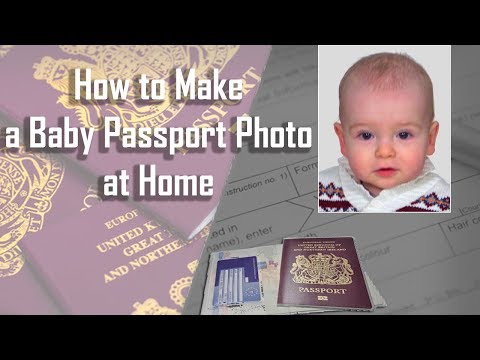
Taking a newborn passport photo is a unique challenge. Don't try to hold them up; their neck isn't strong enough. Instead, lay a white sheet on a firm mattress and place the baby on it. Stand safely over them and use a crinkly toy to get them to look up. While ICA is slightly more lenient with infants, their eyes must be open.
Religious Headgear & Facial Visibility
ICA respects religious requirements, such as Hijabs or Turbans, provided the 'facial oval' remains visible. The headgear must not cast a shadow on the forehead or cheeks. Ensure it is pinned tightly so the chin and edges of the forehead are clear.
Regional Cross-Reference: Singapore vs. The World
For multi-traveler households, it is a common mistake to assume one photo fits all. For example, US Department of State Passport Photos strictly forbid glasses, while Malaysia MyPassport Requirements mandate dark-colored clothing for contrast.
| Country | Size | Background | Key Rule |
|---|---|---|---|
| Singapore (ICA) | 35x45mm | White | 70-80% face coverage |
| Malaysia | 35x50mm | White | Dark clothing mandatory |
| USA | 2" x 2" | White | No glasses allowed |
Frequently Asked Questions
Where can I take a passport photo in Singapore?
You can use a physical passport photo booth at MRT stations, visit a passport photo shop near me in malls like Bras Basah Complex, or use a free passport photo app like IC Photo Singapore for a guaranteed digital result.
What is the Singapore passport photo size in cm?
The official sg passport photo size is 3.5cm wide by 4.5cm high. If you are uploading digitally, ensure the aspect ratio remains consistent with these dimensions.
Can I take my own passport photo at home?
Yes! By following Australian Passport Office Guidelines on lighting (which mirror ICA standards), you can capture a compliant photo using your smartphone and a professional AI editor.
Final Thoughts: Future-Proofing Your Identity
A passport photo is your global calling card for the next decade. By using a sophisticated passport photo app, you aren't just saving a few dollars; you're ensuring a stress-free application process. No more 'Blue Screen of Rejection'—just a smooth, digital path to your next adventure. Ready to start? Grab your phone, find a bright spot, and let IC Photo Singapore handle the compliance.
Ready to Create Your Photo?
Get your perfect passport, IC, or visa photo in minutes. AI-powered, ICA-compliant, instant download.
Create Your Photo Now