Why Your Singapore Passport Photo Gets Rejected in 2026
The technical specs, lighting tips and biometric rules behind ICA rejections in 2026, with advice for newborns and Malaysia-Singapore applications.
If you’ve ever waited at the ICA building at Lavender, you know that the last thing you want is a rejection email two weeks after submitting your application. To ensure your application is successful, understanding the current ic photo singapore requirements is essential. By 2026, the Immigration & Checkpoints Authority (ICA) has moved almost entirely to automated biometric validation. This means a human officer likely won't even see your photo if it doesn't first pass an AI gatekeeper.
A rejected photo is more than a minor annoyance—it can delay your passport, IC, or Work Permit by weeks, potentially ruining travel plans or missing visa deadlines. I’ve seen residents spend $15 at a station photo booth only to have the digital upload flagged because the lighting was uneven or the background wasn't 'true white.' This guide is here to make sure your photo passes on the first try.
The Reality of Biometric Rejections in 2026
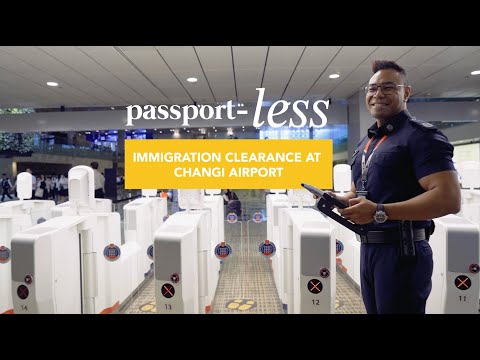
In the current landscape of government documentation, your passport photo isn’t just a picture; it’s a high-density data set. ICA uses these files for the fully digital and automated border gates at Changi Airport.
ICA’s AI Doesn't Negotiate
As Singapore scales its automated clearance, the margin for error has basically vanished. The AI looks for specific landmarks: the distance between your pupils, the width of your nose, and the exact curve of your jawline. If a shadow obscures these 'anchor points,' the system can't verify your identity with 99.9% certainty.
Most rejections today aren't because you look 'bad'—they're because the file failed the technical validation check before a human even looked at it. For the most up-to-date standards, always refer to the official ICA Photo Guidelines.
The Technical Blueprint: Meeting IC Photo Singapore Requirements
To beat the system, you need to understand the math behind the image. The ICA guidelines are rigid, and they've become much stricter about enforcement. Whether you are searching for the ica passport photo requirement for a new application or a renewal, the specs remain the same.
Dimensions and Resolution: The 600 DPI Standard
- sg passport photo size: 35mm wide by 45mm high.
- Digital Size: Minimum 600 x 800 pixels.
- Resolution: 600 DPI (Dots Per Inch) is what you need for a crisp upload.
- File Size: 8MB or less.
Most modern smartphones easily hit these specs, but the problem usually lies in the cropping. If you zoom in too much on a low-res shot, you’ll get pixelation that triggers an automatic rejection. For a deep dive into digital imaging standards, the ISO/IEC 19794-5 provides the international framework for biometric data.
The 25mm–35mm Rule: Why Your Face Size Matters
This is where most people fail. ICA requires your face—from the chin to the crown (the top of your head, not your hair)—to take up between 25mm and 35mm of the total height. If your face is too small, the biometric scanners won't have enough detail. If it’s too large, your head will be clipped. When taking the photo, leave plenty of 'white space' around your shoulders; it’s much easier to crop down than to fix a photo where your head is already touching the top of the frame.
Common Rejection Triggers and How to Bypass Them
After looking at thousands of failed attempts, I've narrowed down the top three reasons photos get bounced.
1. The 'Pure White' Background Myth
ICA requires a pure white background. Not eggshell, not cream, and definitely not the 'light grey' that your white HDB wall looks like under standard warm-white LED lights. If the background has a yellow or blue tint, the AI will reject it for 'background color inconsistency.'
The Fix: Use a professional tool to strip the background and replace it with a perfect Hex #FFFFFF white. If you’re trying this manually, you’ll need to overexpose the background without washing out your facial features—which is incredibly hard to do without professional gear.
2. Shadows: Breaking the Biometric Map
Shadows are an AI's worst enemy. You need zero shadows on your face and zero shadows on the background. Background shadows happen when you stand too close to the wall. Facial shadows (especially under the nose or chin) happen when your light source is directly above you, like a ceiling light.
The Fix: Stand about one meter away from the wall to drop the shadows behind you. Use 'flat' front-facing light to wash out facial shadows.
3. Glasses, Hair, and Hijabs: Total Visibility
Your facial features must be visible from the chin to the forehead and both edges of the face.
- Glasses: Honestly? Take them off. Even if you wear them daily, lens glare and thick frames are the #1 cause of manual rejections. It's safer to skip them.
- Hair: Don't let it cover your eyebrows or eyes. If you have long bangs, pin them back.
- Hijabs: These are perfectly fine, but they must not cast shadows on your forehead or cheeks. The entire oval of your face must be clear.
DIY Like a Pro: Using Your Smartphone as a Studio
You don't need a professional photographer. Your phone's camera is actually better than the aging tech inside most MRT station photo booths.

The Window Rule: Natural Lighting without the Glare
Forget your home's ceiling lights. They create 'raccoon eyes' (dark shadows in the eye sockets).
- Find a large window during daylight hours. Overcast days are best because the light is soft and diffused.
- Face the window directly. Let the light hit your face evenly from the front.
- Have a friend hold the phone about 1.5 meters away at eye level. Using a selfie camera often results in lower resolution and unwanted 'beauty' filters—ICA wants to see your natural skin texture.
Clothing and Contrast: Avoiding the 'Floating Head'
If you wear a white shirt against a white background, the AI will struggle to find your shoulders. You end up looking like a 'floating head,' which can cause framing errors.
The Fix: Wear a dark-colored shirt—navy, black, or dark grey—to create a sharp contrast. This helps the system identify your body's outline immediately.
The Baby Whisperer: Tips for Newborn Passports
Getting a compliant newborn passport photo is a rite of passage for new parents. While ICA is slightly more lenient with infants under one year (they don't need to look directly at the camera), you still need a white background and no visible support (like your hands).
The Flat-Lay Technique for Infants
Don't try to hold the baby up. You’ll just end up with your fingers in the shot, which is an automatic rejection.
- The Setup: Lay a crisp white sheet or large towel on a firm mattress or the floor near a bright window.
- The Placement: Lay the baby down on the sheet. Ensure there are no fabric creases near their head.
- The Shot: Stand over the baby and take the photo from directly above.
- The Timing: Aim for the 'quiet alert' phase right after a feed.
The Cross-Border Trap: Singapore vs. Malaysia Specs
For Malaysians living in Singapore, don't assume the specs are the same. If you use an ICA-spec photo for a Malaysian passport renewal (MyIMMs), it will likely be rejected because the passport size photo malaysia requirements differ significantly.
| Feature | Singapore (ICA) | Malaysia (JIM) |
|---|---|---|
| Dimensions | 35mm x 45mm | 35mm x 50mm |
| Background | White | White (Blue is phased out) |
| Head Size | 25mm - 35mm | 25mm - 30mm |
| Attire | Dark colors suggested | Dark colors mandatory |
The Malaysian photo is 5mm taller. You cannot simply stretch an ICA photo to fit; the proportions will be off. You need to crop the original high-res image specifically for the Malaysian Immigration Department (JIM) requirements. For those traveling frequently, ICA's Automated Clearance Initiative explains why these biometric standards are so strictly enforced at the border.
Submission Checklist: 10 Points to Verify Now
Before you hit 'submit' on the MyICA portal, run through this list:
- Recency: Taken within the last 3 months? (ICA checks against previous records).
- Background: Is it Hex #FFFFFF white with zero texture?
- Eyes: Open, visible, and looking at the lens?
- Mouth: Closed with a neutral expression? (No teeth).
- Head Tilt: Perfectly straight? Even a 5-degree tilt can fail the biometric check.
- Hair: Off the eyebrows and eyes?
- Shadows: None on the face or background?
- Contrast: Is your clothing dark enough?
- Sharpness: Is the photo in focus? Check the eyes—if they're blurry, the AI will fail.
- Dimensions: Exactly 35mm x 45mm?
Frequently Asked Questions
What are the ica passport photo requirements for 2026?
The photo must be 35mm x 45mm, taken against a plain white background without shadows. The head size must be between 25mm and 35mm from chin to crown. You must have a neutral facial expression with eyes open and mouth closed.
Can I take my own Singapore passport photo with a phone?
Yes, as long as you use a high-resolution camera, ensure even lighting (the Window Rule), and use a dark shirt for contrast. You must ensure the background is pure white and devoid of any textures or shadows.
Does ICA accept digital photos from third-party apps?
ICA accepts digital uploads through the MyICA portal. Using a service like IC Photo Singapore ensures your photo is AI-checked for compliance before you submit it to the government, reducing the risk of rejection.
What is the sg passport photo size in pixels?
For a 600 DPI resolution, the recommended digital dimensions are at least 600 x 800 pixels. The file size must be 8MB or less.
Don't Let a Photo Stall Your Life
Renewing your passport or IC is enough of a chore without having to do it twice. The move toward automation is meant to make things faster, but it requires precision from us to meet all ic photo singapore requirements. If you're not confident in your DIY attempt, upload it to IC Photo Singapore. We'll run it through our compliance engine, fix the background, and ensure your 35x45mm rectangle is technically perfect.
Safe travels, and may your next passport photo be the one that actually looks like you.
Ready to Create Your Photo?
Get your perfect passport, IC, or visa photo in minutes. AI-powered, ICA-compliant, instant download.
Create Your Photo Now