ICA Passport Photo Compliance Guide: Best Passport Photo App
How to use a passport photo app and simple home lighting to meet ICA photo standards for your Singapore passport and PR applications.
You’ve spent the better part of an hour navigating the ICA website, double-checking your PR application or passport renewal. You hit the final upload button, and then it happens: the dreaded rejection email.
"Your photo does not meet the requirements."
To you, the photo looks fine. You’re centered, you aren’t smiling, and the background is white. So why did the system kick it back? In 2027, the reality is that a human officer likely never even saw your photo. Instead, it was processed by a biometric algorithm designed to translate your facial geometry into a mathematical string. If that algorithm can’t map your face with 100% precision, it’s an automatic 'no.' Using a reliable passport photo app is no longer just a convenience—it's a necessity for navigating these machine-driven standards.
This guide isn’t just another list of government rules. It’s a technical breakdown of why photos fail and how you can use the high-end sensors in your pocket to produce a result that beats any shopping mall studio.
The Evolution of the ICA Photo: Why 'Good Enough' No Longer Works in 2027
Gone are the days when a neighborhood “photo shop” and a dusty DSLR were enough. Today, Singapore’s identity systems are synced with international standards like ICAO Document 9303. As Changi Airport moves toward full facial recognition at automated gates, the photo on your chip must be a high-fidelity biometric map.
The Shift from Human Eyes to Machine Algorithms
When you upload to the MyICA portal, an edge-detection algorithm immediately goes to work. It’s looking for the contrast between your hair and the background, the distance between your pupils, and any digital 'noise' in the file. If your lighting is uneven, the AI can't accurately place markers on your jawline or cheekbones. It’s a binary process; there is no “close enough” when it comes to machine vision. This is why a specialized passport size photo editor is superior to a standard camera app.
The Science of the Scan: How Biometric AI Actually Reads Your Face
To stop the rejection cycle, you have to understand spatial relationships. The AI isn't looking at your features to see if you look good; it’s looking at them to verify who you are.
Key Landmarks: The Interpupillary Distance and Beyond
A critical measurement is your interpupillary distance (the space between the centers of your pupils). If your head is tilted even two degrees, this distance changes in a 2D photo, and the software flags it as a “non-frontal view.”
Similarly, the ratio of your head height to the frame is strictly regulated. In Singapore, your head must occupy 25mm to 35mm of the 45mm vertical space. Voluminous hair or headgear like turbans or hijabs can make it harder for the AI to find the top of the skull. This is why position and scale are the foundations of a successful ICA-compliant passport photo.
The 7 Hidden Reasons for ICA Rejections (And How to Fix Them)
Most rejections boil down to these technical oversights that humans often miss but machines never do. Whether you use a free passport photo app or a professional service, you must account for these variables.
1. The 'Floating Head' Syndrome: Why Clothing Contrast Matters
ICA requires a white background, and many people take this literally by wearing a white or light grey shirt. This is a mistake. When a light shirt blends into a white background, the AI’s edge-detection fails. It can't tell where your shoulders end and the wall begins. Always wear dark colors—navy, black, or deep burgundy—to provide sharp contrast.
2. Specular Highlights: The Nightmare of Oily Skin and Glasses
Oily skin or glasses often create “specular highlights”—tiny white spots of reflected light. To an AI, these are “missing data.” If a highlight sits on your pupil or the bridge of your nose, the software can't see the feature underneath. Tip: Take your glasses off if possible, and use a tissue or powder to matte your skin.
3. Shadows in the 'Cupid’s Bow'
Lighting from directly above creates heavy shadows under your nose. These shadows distort your perceived features. You need front-facing, diffused light to flatten these shadows out, meeting the ICA official guidelines.
4. Digital Zoom Noise
Never use the zoom function on your phone. Digital zoom just crops and enlarges pixels, creating graininess or “noise.” The ICA system will reject these because they lack the sharpness required for biometric scanning.
5. The Hair 'Halo' and Background Confusion
Frizzy or stray hairs can confuse background removal tools. If there’s a blur around your head, the AI can't define your silhouette. Use a little hair product to keep things neat.
6. Beauty Filters and Skin Smoothing
Turn off all "beauty modes." If your skin looks like porcelain with no pores, the AI will flag it as an “altered image.” It needs to see your real skin texture, moles, and scars as defined by ISO/IEC 19794-5.
7. Incorrect Aspect Ratio
Singapore requires a 35mm x 45mm photo. Don't try to crop this manually in a basic photo app; you’ll likely stretch the image. This is where a professional compliance check becomes invaluable.
The 'Pro-Studio at Home' Blueprint: Using Your Smartphone Sensors
A modern smartphone camera is often superior to an old mall photo booth. You just need to master the light.
The Three-Foot Window Rule: Mastering Natural Light
- Find a North or South-facing window: This provides soft, even light without harsh shadows.
- The Position: Stand three feet from the window, facing it. This fills your face with light and eliminates nose shadows.
- The Background: Stand two feet in front of a plain wall. Don’t lean against it, or you’ll cast a shadow on the wall itself.
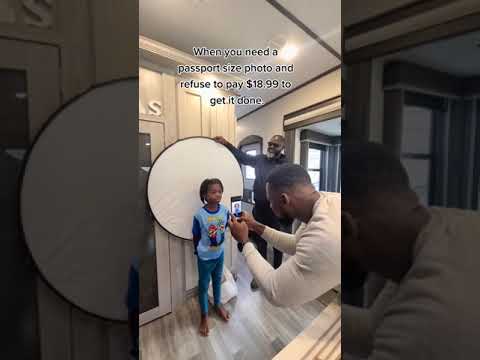
- No Selfies: Front-facing cameras have wide-angle lenses that distort features (making your nose look larger). Have someone else use the back camera from 1.5 meters away.
The Newborn Protocol: Capturing Compliant Baby Photos Without the Tears
Getting a three-month-old to look at a lens with a neutral expression is a tall order. Here is the secret for success for a newborn passport photo:
Strategies for Infants: The White Sheet Technique
Don't try to hold the baby upright. Instead, lay a white, non-textured bedsheet on a firm mattress. Lay the baby on the sheet; this supports their head naturally.
- Attention Hack: Have one parent hold the phone and the other stand right behind it with a squeaky toy. You only need one second of eye contact.
- The Support: You can roll up small towels and hide them under the sheet to cradle the baby’s head. Just ensure no hands or towels are visible in the shot.
For a specialized tool designed for these challenges, check our newborn photo requirements page.
Beyond the Passport: PR Applications and Long-Term Visit Passes
For Permanent Residency (PR) applications via the MyICA portal, the scrutiny is even higher. These photos are used for your Blue IC and will be in the system for years. A common pitfall is using an old photo. ICA’s AI compares your new upload to your previous one; if they are identical to a photo taken years ago, it will be rejected for not being recent.
The Regional Context: Malaysia and International Visa Nuances
Applying for a Malaysian passport or a US/Schengen visa? The rules change significantly.
- Malaysia: They often require a different head-to-frame ratio (31mm-36mm) compared to Singapore’s 25mm-35mm. Review the official Malaysia Immigration portal for specific dimension requirements.
- United States: The US uses a 2x2 inch (51x51mm) square format. You cannot simply crop an ICA photo; the resolution and composition will be entirely wrong.
Frequently Asked Questions
What is the Singapore passport photo size?
The standard sg passport photo size is 35mm wide by 45mm high. Your face must take up between 25mm and 35mm of that height.
Can I make a passport size photo online for free?
Yes, you can make passport size photo online free using basic editors, but they often lack the AI compliance checks required by ICA. Professional apps provide verification to prevent rejection.
Where is the best place to take a passport photo in Singapore?
While many look for a "passport photo shop near me," using a dedicated passport photo app at home allows for better lighting control and unlimited retakes until you achieve compliance.
Why AI-Powered Verification is the Future of Identity
We’ve reached a point where human judgment is being replaced by computational precision. An AI-powered passport photo maker like ours “pre-tests” your photo against the exact logic used by the government. By understanding the science behind the scan and using the right tools, you can hit 'submit' with total confidence and a Lifetime Remake Guarantee.
Ready to Create Your Photo?
Get your perfect passport, IC, or visa photo in minutes. AI-powered, ICA-compliant, instant download.
Create Your Photo Now