ICA Photo Compliance: Why Digital Photos Get Rejected
A guide to Singapore ICA passport and ID photo requirements, why digital photos get rejected and how to avoid the most common mistakes.
If you’ve ever tried to renew your Singapore passport or apply for a Permanent Residency (PR), you know the specific brand of anxiety that comes with the photo upload screen. You click 'Submit,' the little loading wheel spins, and you pray you don't get that dreaded notification a few days later: “Your photo does not meet ICA requirements.”
Using a reliable passport photo app can eliminate this guesswork. It’s more than just a minor annoyance; a rejected photo can push your passport renewal back by weeks, potentially ruining travel plans. For PR or Long-Term Visit Pass applicants, it’s even more stressful, adding layers of delay to an already lengthy process.
I’ve spent years looking at why these photos fail. The truth is, about 1 in 10 digital photos submitted to the Immigration & Checkpoints Authority (ICA) are rejected. In 2024, it’s not just because the photo is 'blurry.' It’s because the ICA now uses highly sophisticated Automated Facial Recognition Systems (AFRS) that 'see' things the human eye ignores.
The High Cost of a 'Bad' Photo: Why ICA Rejections are Rising
Singapore is moving toward a 'digital-first' nation, and the ICA is leading the charge. With the opening of the new Services Centre next to the existing ICA Building, the emphasis is on self-service and automation. This shift means that your initial digital submission is the most critical step in the entire application process.
The 10% Failure Rate
Why is the rejection rate so high? It’s a combination of DIY attempts gone wrong and outdated photo booths that haven't kept up with digital resolution standards. Most people think if they look like themselves and the background is white, they’re good to go. But the ICA’s system is looking for biometrics—the mathematical distance between your eyes, the bridge of your nose, and the curve of your chin. If a shadow obscures even a millimeter of your jawline, the 'robot' can’t verify your identity.
The Robot Behind the Screen: ICA’s Automated Facial Recognition
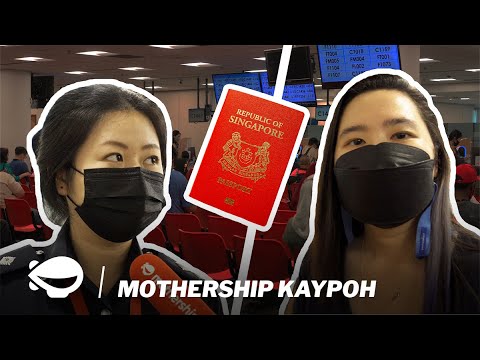
When you upload your photo to the ICA portal, a human doesn't usually look at it first. An algorithm does. This AI checks for 'facial landmark' points. If you’ve used a 'beautifying' app that slims your face or smooths your skin texture too much, you’ve essentially deleted the very data the AI needs. This is why 'natural' is the gold standard for 2024/2025 applications. For a deeper look at why these rejections happen, watch this investigation into the ICA process:
Technical Blueprint: Beyond the 35mm x 45mm Rule
We all know the standard sg passport photo size: 35mm wide by 45mm high. But that’s the physical size. When you’re uploading digitally, the technical requirements become significantly more rigid.
The Ratio That Matters: Head Size vs. Frame
The biggest mistake people make is getting the 'zoom' wrong. According to official ICA guidelines, your head must take up between 25mm to 35mm of that 45mm height. This means your face should occupy roughly 50% to 70% of the photo. If you’re too far away, the resolution on your facial features won't be high enough. If you’re too close, your head will be 'cut off' by the system's auto-cropper.
Digital Dimensions: Pixels vs. Millimeters
For the online portal, you must meet the specific passport size photo dimensions in a digital format. You should aim for a digital resolution of 400 x 514 pixels. If your photo is a square (like an Instagram post), the ICA portal will stretch or squash it, leading to an immediate rejection. You must maintain that 35:45 aspect ratio precisely.
| Feature | ICA Requirement |
|---|---|
| Physical Size | 35mm (W) x 45mm (H) |
| Digital Resolution | 400 x 514 Pixels (Minimum) |
| Head Height | 25mm to 35mm (from chin to crown) |
| Background | Pure White (#FFFFFF) |
| File Format | JPEG / JPG |
Lighting: The Number One Reason You’ll Be Rejected
You can have the best camera in the world, but if your lighting is bad, you're going to fail. Lighting is where most DIY attempts and simple passport size photo editor tools fall apart because they cannot compensate for physical shadows.
The 'Double Shadow' Trap
Look at your photo right now. Is there a shadow on the wall behind your ears? Is there a shadow under your nose or chin? If yes, start over. Shadows create 'false lines' that the ICA AI interprets as facial features or physical obstructions. To avoid this, stand about 0.5 to 1 meter away from the wall. This allows the light to dissipate behind you, creating that clean, seamless white background the ICA demands.
Color Temperature: Why Your Kitchen Lights are Making You 'Green'
Light isn't just 'bright' or 'dim'; it has a color temperature measured in Kelvin. Most indoor LED bulbs are 'Warm White' (yellowish) or 'Cool White' (bluish/greenish). The ICA requires 'natural' skin tones. Aim for daylight by standing facing a large window during the day (10 AM to 2 PM is ideal). Daylight provides a neutral color temperature (around 5600 Kelvin) that accurately represents your skin tone. Avoid using your phone's flash directly—it creates 'hot spots' on your forehead that look like white blobs to an AI.
The Rejection Checklist: 7 Errors That Stall Your Application
I’ve seen thousands of photos, and these seven issues are the primary reasons people search for a passport photo shop near me after a failed attempt:
- The 'Portrait Mode' Problem: Modern smartphones use 'computational bokeh' to blur the background. Often, it accidentally blurs the edges of your hair or ears. The ICA needs to see the sharp outline of your head. Turn off Portrait Mode; keep everything in focus.
- The Hair 'Veil': Your eyebrows must be visible. If you have long bangs (fringe), sweep them to the side. If your hair covers the outer edges of your eyes, it’s a rejection.
- Spectacle Reflections: While you can wear glasses, I strongly advise taking them off. Reflections on the lenses or thick frames covering the eyes are common rejection triggers.
- The 'Smize' is Too Much: ICA requires a neutral expression. No teeth showing, no squinting. A 'natural' look is best. If you smile too widely, your cheeks rise and change the shape of your eye sockets—which messes with biometric data.
- Red-Eye Correction: Never use digital red-eye removal. It replaces your actual pupil with a black circle, destroying the 'iris' data the ICA uses for security.
- Non-White Backgrounds: 'Off-white,' 'cream,' or 'light grey' are not white. The background must be stark white.
- Headgear: Unless it's for religious or medical reasons, take it off. Even then, the headgear must not cast a shadow on your face.
To see these do's and don'ts in action, watch this helpful visual guide:

The Newborn Masterclass: Photography for Infants
Taking a photo of a newborn for their first passport is a rite of passage for Singaporean parents—and it’s usually a nightmare. According to HealthHub, newborns don't even have full control of their eye muscles until a few months in, making the 'look at the camera' rule nearly impossible. Finding a passport photo maker that handles infants is essential.
The 'White Sheet' Strategy
Don't try to hold your baby up. You’ll end up with your hands in the shot, which is an automatic rejection. Instead, lay a white sheet on the floor or a firm mattress. Lay the baby down on top of it. Stand over them (safely!) and take the photo from above. This ensures the background is clean and the baby is comfortable.
The Eye-Open Struggle
ICA is slightly more lenient with newborns regarding the 'neutral expression,' but the eyes must be open. No pacifiers, no toys, and no hands near the face. Wait for 'the golden hour'—the 15 minutes after they wake up from a nap when they are alert but not yet fussy. If you need help with this specific demographic, our newborn photos service provides AI-assisted cropping for infants.
Digital Upload Troubleshooting: Solving the File Size Paradox
This is where it gets technical. The ICA portal has a file size limit of 8MB. Many people take a high-res photo, realize it’s 10MB, and then search how to make passport size photo online free. They end up using low-quality compressors.
Compression Artifacts: The 'Hidden' Rejection
Cheap compressors create 'artifacts'—pixelated blocks in the image. To your eye, it looks fine. To the ICA’s AI, it looks like 'noise' or a 'digitally altered' image. According to Adobe's technical guides on compression, these artifacts can significantly degrade the clarity of facial landmarks.
Instead of 'compressing,' you should 'resize.' Change the dimensions to 400 x 514 pixels at 300 DPI (dots per inch). This will naturally bring the file size down to around 50KB - 200KB without losing the sharpness of your facial features.
AI vs. Traditional Booths: Which is Better in 2024?
Ten years ago, the photo booth at the MRT station was the go-to. Today, with the rapid digitalization of Singapore’s immigration services, they are often an inefficient choice.
The Hidden Costs of Photo Booths
Most booths cost between $8 and $12. You get three tries, the lighting is usually harsh, and if the photo is rejected, you’ve lost that money. Getting a digital copy often involves a clunky website or an extra fee. If you are wondering where to take passport photo Singapore residents now prefer, the answer is increasingly "at home."
Why AI-Powered Verification is the Future
Using a dedicated passport photo app like IC Photo Singapore gives you something a booth can't: an ICA-compliant passport check before you pay. Our AI is trained on the same parameters used by the ICA. It checks your head tilt, background hex code, and lighting balance instantly. It’s a pre-submission audit that ensures 100% success.
Frequently Asked Questions
What is the ICA passport photo requirement for hair?
Hair must not cover the eyes or eyebrows. If you have long fringe, it should be swept aside. The face must be clearly visible from the chin to the forehead and both edges of the face.
Can I use a free passport photo app for my application?
While many apps are available, ensure they specifically support Singapore ICA standards. General apps may not correctly set the 400x514 pixel ratio or the required head-to-frame percentage.
How do I make a passport size photo online free of shadows?
To avoid shadows, stand at least 0.5 meters away from a white wall and use natural, front-facing light from a window. Avoid using a camera flash, which creates harsh shadows.
What is the exact sg passport photo size in pixels?
For digital uploads to the MyICA portal, the recommended size is 400 pixels wide by 514 pixels high.
The Pre-Submission Audit: Your Final Checklist
Before you hit that final 'Submit' button on the ICA portal, run through this list:
- Is the background #FFFFFF White? (No cream, no shadows).
- Are your eyebrows visible? (No hair covering them).
- Is the photo sharp? (Individual hairs should be visible; no 'soft' focus).
- Is your head centered? (Equal space on the left and right).
- Is the file format accepted? (jpg, jpeg, heic, heif or png).
- Are your eyes level? (No head tilt).
- Zero filters? (No smoothing or 'beautifying' effects).
Final Thoughts on Using a Passport Photo App
Getting your ICA photo right isn't about being 'photogenic'; it’s about being 'compliant.' It’s a technical exercise, not a portrait session. By following the lighting and geometry rules I’ve laid out, you’re not just making your life easier—you’re ensuring that Singapore’s digital infrastructure can process your application with the speed it was designed for.
If you're unsure, don't guess. Using a specialized passport photo app that understands Singapore's unique requirements is the most reliable way to avoid the dreaded rejection email. A few minutes of being 'tech-correct' today saves you weeks of bureaucratic headaches tomorrow.
Ready to Create Your Photo?
Get your perfect passport, IC, or visa photo in minutes. AI-powered, ICA-compliant, instant download.
Create Your Photo Now