2026 Guide: How to Meet ICA Passport Photo Requirements
Master the 2026 Singapore ICA passport photo compliance with our expert guide. Learn to avoid common rejection traps, optimize your smartphone shots for biometric algorithms, and use a reliable passport photo app to guarantee approval on the first try.
If you've tried to renew your Singapore passport lately, you've likely felt the specific anxiety of the MyICA portal. You log in, get your details ready, and then hit the photo upload stage—only to have the system reject your image for the third time. Whether it’s a living room snap or a rushed booth photo, that error message "Photo does not meet requirements" is enough to ruin your afternoon. Using a professional passport photo app can eliminate this guesswork and ensure your submission is flawless.
By 2026, Singapore has perfected its biometric security. This is great for clearing Tuas or Changi in seconds, but it's a massive hurdle for the average person trying to submit a DIY photo. The ICA (Immigration & Checkpoints Authority) doesn't just want a nice picture of you; they need a precise data set for their facial recognition algorithms. I've spent years analyzing why these photos pass or fail. Most rejections happen because you're fighting against the physics of light and the logic of an algorithm.
The High Stakes of the MyICA Portal in 2026 #
We’re now in a landscape where passport applications are 100% digital-first. Today’s gatekeeper is an AI. If the software can't map your face with mathematical certainty, your application is stalled before a human even sees it. This makes understanding the ICA Official Photo Guidelines more critical than ever.
The 3-Month Rule and Application Backlogs #
The real risk isn't just a rejected photo; it's the ripple effect on your schedule. ICA suggests renewing at least nine months before expiry, but a single photo rejection can cost you weeks. During peak periods like June or December, a delay can push your passport issuance past your flight date. The system is efficient, but it's completely unforgiving regarding image quality.

The Science of Biometrics: Why ICA is So Picky #
To pass, you have to understand how the system "sees." ICA uses software to identify specific "nodal points" on your face—the unique landmarks that define your identity based on ISO/IEC 19794-5 Biometric Data Standards.
Landmarks and the T-Zone #
The algorithm measures the distance between your pupils, the width of your nose, and the depth of your eye sockets. This central region, the T-zone, is vital. If hair obscures your eyebrows, the software can't calculate these distances, leading to an automatic rejection for "lack of facial clarity."
Shadow-Induced Distortion #
This is the #1 reason for DIY failure. Standard home lighting creates harsh shadows under the nose and chin. To an AI, a dark shadow can look like a change in your actual bone structure. It can "widen" your nose or "shorten" your jawline in the digital map, causing a mismatch with your existing biometric records.
Technical Specs: Using a Passport Size Photo Editor #
Let’s look at the hard numbers. The ICA requires a photo 35mm wide by 45mm high. For digital uploads, that means 400x514 pixels. However, using a dedicated passport size photo editor ensures these dimensions are met without losing image resolution.
| Requirement | Specification |
|---|---|
| SG Passport Photo Size | 35mm (W) x 45mm (H) |
| Digital Dimensions | 400 x 514 pixels |
| Face Ratio | 70% to 80% of the frame |
| Background | Pure White (No shadows) |
| File Format | JPEG or PNG preferred |
The 70-80% Face Ratio Rule #
Your face must take up between 70% and 80% of the frame. If you stand too far back, leaving too much space above your head, the AI can't resolve enough detail. Your head, from the chin to the crown, should measure between 25mm and 35mm in the final image.
The 'Pure White' vs. 'Off-White' Debate #
The background must be white—not cream or light grey. Most Singaporean homes use "Warm White" bulbs, which cast a yellow tint. You need "Daylight" bulbs or indirect natural sunlight. If the background isn't a clean, flat white, the AI won't be able to distinguish the edges of your head.
Why 'Selfies' Fail: The Physics of Focal Length #
This is where most people get tripped up. Front-facing cameras almost always use a wide-angle lens. When you hold the phone at arm's length, that lens distorts your features, making your nose look larger and ears look smaller. This is known as focal length distortion.
The 2-Meter Rule for Success #
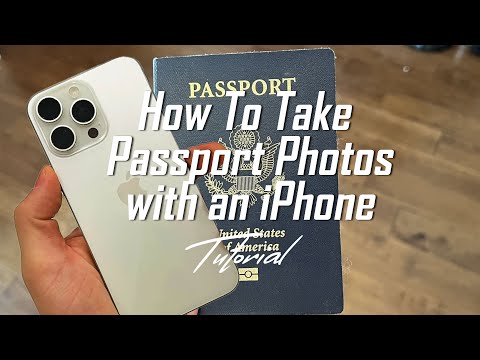
ICA biometrics are calibrated for a "flat" perspective. To mimic this on a phone, you must use the rear camera and stand at least 2 meters away. Have someone else take the shot or use a tripod. By standing further back and using a slight zoom, you maintain your actual facial proportions. This is a key feature of a professional passport photo maker.
Appearance, Attire, and Expression #
Hair, Eyebrows, and Hijabs #
Your hair cannot cover your eyes or eyebrows. For those wearing a hijab, it must be tucked back to show the full face from chin to forehead. Avoid white headgear, as it can bleed into the background and confuse the AI's edge-detection.
The 'Micro-Expression' Trap #
A slight squint or a tiny "mini-smile" can trigger a rejection. You need a dead-neutral expression. Try this: take a deep breath and relax your jaw just before the photo is taken. It keeps the face natural but neutral, satisfying the ica passport photo requirement for a non-expressive face.
Glasses and Frame Overlap #
It is highly recommended to take your glasses off. While ICA technically allows them, the rejection rate is significantly higher due to frame overlap or lens glare. If you must wear them, ensure there is zero reflection.
The Newborn Protocol: A Parent’s Survival Guide #
Getting a newborn passport photo is one of the most stressful parts of new parenthood.
- The White Sheet Method: Lay a pure white sheet on a flat floor and place the baby on it. This keeps the background compliant and the baby relaxed.
- Timing: The best window is 15 minutes after a feed when they are "quietly alert."
- No Hands: Ensure no part of the parent's hand is visible in the frame, as this will lead to immediate rejection.
Navigating the MyICA Portal in 2026 #
JPEG vs. HEIC: File Format Optimization #
iPhones default to HEIC format. While MyICA has updated its compatibility, HEIC can still cause metadata glitches. I always recommend converting your photo to a high-quality JPEG first. Keep it under 2MB, but don't compress it so much that it looks pixelated.
The 'Timeout' Trap #
The MyICA portal session is short. Have your photo cropped and validated before you log in. This is where an online passport photo app like IC Photo Singapore becomes invaluable, as it prepares your file for instant upload.
Frequently Asked Questions #
Can I make a passport size photo online free? #
You can use basic editors, but they often lack the AI validation needed for ICA standards. For a guaranteed result, using a dedicated passport photo maker with compliance checks is safer.
What is the exact sg passport photo size for 2026? #
The required size remains 35mm wide by 45mm high, with the face occupying 70-80% of the image.
Where is the best place to take a passport photo in Singapore? #
While you can look for a "passport photo shop near me," using an AI-powered app at home is often more convenient and accurate for digital MyICA submissions.
The IC Photo Singapore Advantage #
You're trying to do a professional photographer’s job with home equipment. This is why we built IC Photo Singapore. Our platform acts as a bridge between your phone and the MyICA portal. Our AI runs a multi-point compliance check that mirrors the ICA’s own logic.
We verify your face ratio, normalize your background, and flag issues before you upload. In the era of Smart Nation Singapore, your admin should be seamless. For those also dealing with regional requirements, we support the Malaysia passport photo requirement as well. Take the photo correctly, use the right tools, and get back to planning your trip.
Based on community feedback from r/singapore, double-checking your lighting is the single most important step for a successful application.
Ready to Create Your Photo?
Get your perfect passport, IC, or visa photo in minutes. AI-powered, ICA-compliant, instant download.
Create Your Photo Now