2026 ICA Passport Photo Guide: AI-Checked Results at Home
How to meet Singapore ICA passport photo requirements at home: lighting, framing, file specs and using AI tools to check your photo.
If you’ve ever sat in a cramped photo booth at a neighborhood mall, squinting against a harsh fluorescent bulb while a mechanical voice tells you your head is too high, you know the frustration. You pay $10, get a strip of four photos that look like a mugshot, and then—the ultimate insult—the MyICA portal rejects your upload because of a 'shadow on the background.'
It’s 2026. We’re living in an era of AI-driven biometric security, yet millions of Singaporeans are still relying on 1990s technology for their most important identity document. As someone who has analyzed thousands of successful (and failed) applications, I can tell you that using a dedicated passport photo app is no longer just about convenience—it's about compliance. The Immigration & Checkpoints Authority (ICA) systems are now optimized for facial recognition algorithms that require specific mathematical ratios to keep our borders secure.
This guide isn't just a list of rules. It’s a deep dive into how you can use the tech in your pocket to beat the system and get your passport photo right the first time, every time.
The High Stakes of a 35mm x 45mm Image
Your passport photo is the most scrutinized image you will ever own. In 2026, the MyICA portal uses an automated 'first-pass' AI to screen uploads. If the bot doesn't like your photo, a human officer might never even see it. This leads to the dreaded 'Pending' status that can stretch into weeks, potentially ruining holiday plans or urgent business trips.
Why the MyICA Portal is Getting Pickier
The Singapore government is a global leader in digital identity integration. With the rollout of more advanced automated lanes at Changi Airport, the 'source image' in your passport must be near-perfect. These machines use biometric facial feature extraction—measuring the exact distance between your pupils, the width of your nose, and the shape of your jawline.
If your photo has 'artistic' lighting or a slight head tilt, it alters these measurements. The system doesn't see 'you'; it sees a data mismatch. This is why the rejection rates for DIY photos taken without professional guidance have skyrocketed. You aren't just taking a picture; you're providing data to a high-precision sensor.
The Anatomy of a Perfect ICA Photo
Let’s look at the numbers. The ICA official guidelines state that the photo must be 35mm wide by 45mm high. But that’s just the container. The real challenge is what’s inside.
Dimensions and Ratios: The 25mm to 35mm Rule
This is where most people fail. It’s not just about fitting your head in the frame; it’s about the scale. Your face (from the chin to the crown of the head) must take up between 25mm and 35mm of the vertical height.
If your head is too small, the biometric sensors can't resolve your features. If it’s too large—the 'giant head' syndrome—there isn't enough background for the system to distinguish your silhouette. At IC Photo Singapore, our AI doesn't just crop your photo; it calculates this specific ratio down to the pixel level to ensure the 'head-to-frame' balance is mathematically correct.
The Matte vs. Glossy Digital Myth
I often get asked, "Should I scan a matte print or a glossy one?" My answer is always: Neither.
In 2026, scanning a physical photo is the worst thing you can do. Scanners introduce 'noise,' dust particles, and texture patterns that confuse biometric software. The ICA wants a native digital file. When you use an AI-powered online passport and ID photo editor, you are providing a clean, digital-first image. This eliminates the 'moiré' effect—those weird wavy lines—that happens when you scan printed dots. Digital-first is the only way to ensure 100% clarity.

The Physics of the Perfect Shot: Why Selfies Fail
We all love a good selfie, but your front-facing camera is a biometric nightmare. Here’s why.
Focal Length and Facial Distortion
Most smartphone cameras, especially the selfie lens, have a wide-angle focal length, usually around 24mm to 28mm. In photography, wide lenses cause barrel distortion. If you hold the phone close to your face, your nose—being the closest point to the lens—will look significantly larger, and your ears will seem to 'disappear' behind your head.
For a passport photo, this distortion is a deal-breaker. The ICA requires a 'true representation' of your features. If the biometric system calculates your nose-to-ear ratio based on a distorted selfie, you might face issues at automated airport gates where the camera uses a long-range, flat-perspective lens.
The 2-Meter Rule for Professional Proportions
How do you fix this? Don't take a selfie. Instead, have someone else take the photo, or use a tripod. Stand at least 2 meters (about 6.5 feet) away from the camera and use the 2x or 3x optical zoom.
This 'compresses' the image and provides a flat, accurate perspective of your face. It’s the same reason portrait photographers use 85mm lenses—it’s the most accurate way to represent a human face. By standing back, you ensure your facial features remain in their natural proportions.
Mastering Light: The Battle Against Shadows
Lighting is the #1 reason for photo rejection in Singapore. The ICA requires a 'uniform' background and no shadows on the face. Sounds easy, right? It isn't.
The 'Clock Method' for Natural Light
You don't need a $500 softbox. You just need a window. But don't stand directly in front of it (you'll be a silhouette) or with it directly behind the camera (you'll squint).
Use the '10 and 2' strategy. Imagine you are standing in the center of a clock face. The window should be at the 10 o’clock or 2 o’clock position. This provides 'directional' light that is soft and diffused. To fill the shadow on the other side of your face, have a friend hold a white piece of paper or a foam board just out of frame at the opposite position. This 'bounces' light back, creating that perfectly even, 'flat' lighting the ICA loves.
Eliminating the 'Mustache Shadow' and Eye Bags
If you have overhead lights on, you’ll get shadows under your nose (the 'mustache shadow') and in your eye sockets. These shadows are biometric 'noise.' They can be misinterpreted by AI as facial hair or deep-set features that you don't actually have.
Expert Tip: Turn off all overhead ceiling lights. Rely entirely on natural window light or a lamp positioned at eye level. If you see a shadow on the wall behind you, move further away from the wall. You should be about 0.5 to 1 meter away from the background to let the light 'wrap' around you and eliminate harsh silhouettes.
The Newborn and Toddler Masterclass
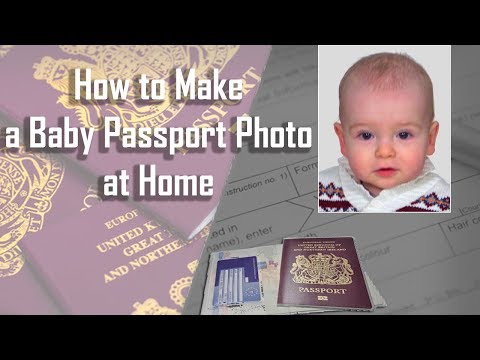
Taking a passport photo of a two-week-old baby is arguably one of the most stressful tasks for new parents. I’ve seen parents try to hold their babies up against a wall, resulting in visible hands, crying faces, and crooked heads.
The 'White Sheet' Floor Strategy
For infants who cannot sit up, stop trying to hold them. Instead, lay a clean, white bedsheet on the floor. Place the baby on their back. Stand over them (safely!) and take the photo from above. This ensures the head is supported and the background is clean.
The 'Towel Roll' Hack: If your baby’s head keeps flopping to the side, roll up two small hand towels and place them under the bedsheet on either side of the baby’s head. This creates a 'cradle' that keeps their head straight without any visible support in the photo.
Getting the Eyes Open: Timing is Everything
ICA requires the eyes to be open. For newborns, this is a 5-minute window of opportunity. The best time is 10 minutes after a feeding when they are 'awake and alert' but not yet 'fussy.'
Don't use a flash; it will cause a 'startle reflex' and red-eye. Use the natural light methods mentioned above. If your child is a toddler, don't tell them to 'smile'—ICA requires a neutral expression. Instead, tell them to 'look for the little bird' inside the camera lens.
AI vs. The Old-School Photo Booth
Why are traditional photo booths becoming obsolete? Because they are 'dumb.' A photo booth doesn't know the latest 2026 MyICA update. It just takes a picture and prints it. If you're looking for where to take passport photo Singapore residents trust, the answer has shifted from physical kiosks to digital-first solutions.
Why Self-Service Kiosks are a Gamble
Kiosks are often located in high-traffic areas. The lenses are rarely cleaned, leading to blurry 'haze,' and the lighting is fixed. Furthermore, you get one or two tries. If you blink, you've wasted your money. While you might try to make passport size photo online free, the risk of rejection at the MyICA portal often costs more in time than a verified service.
How AI-Powered Validation Acts as Your Insurance Policy
When you use a service like IC Photo Singapore, you aren't just getting a passport size photo editor; you're getting a compliance check. Our AI is trained on the same parameters used by ICAO (International Civil Aviation Organization) standards.
We check for:
- Inter-pupillary distance: Is the distance between your eyes sufficient for recognition?
- Background uniformity: Is that 'off-white' wall actually white enough?
- Exposure levels: Is there enough contrast to distinguish your hair from the background?
If the AI flags an issue, you can simply take another photo at no extra cost. It’s the difference between guessing and knowing.
Troubleshooting MyICA Upload Errors
So, you’ve taken the photo, but the MyICA portal is throwing red text at you. Let's decode the 'government-speak.'
Solving 'Image Too Dark' and 'File Size Too Large'
- "Image is too dark/low contrast": This usually means your background isn't a true white. Even if it looks white to your eyes, the camera sensor might see it as grey. Using an AI background remover solves this instantly by replacing the 'real' wall with a digitally perfect #FFFFFF white background.
- "File size too large": The ICA portal has a strict 8MB limit. However, if you compress the image too much, it becomes 'pixelated,' which triggers another rejection. You need to use 'smart compression' that reduces file size while maintaining high DPI (Dots Per Inch).
- "Eyes not detected": This often happens to people with glasses. Reflections on the lenses can obscure the pupils. In 2026, the safest bet is to remove your glasses. Even if you wear them daily, ICA prefers photos without them to avoid biometric interference.
Frequently Asked Questions
What is the Singapore passport photo size for 2026?
The official sg passport photo size is 35mm wide by 45mm high. Your face must take up 25mm to 35mm of the vertical height.
Can I use a free passport photo app for ICA submission?
Yes, but ensure it performs a 2026 compliance check. Many general apps don't account for the latest MyICA biometric requirements, leading to high rejection rates.
Do I need a professional passport photo shop near me?
Not necessarily. With 2026 AI technology, a home-taken photo verified by an AI editor is often more accurate than a studio shot because it is native digital, avoiding scanning noise.
The Final Checklist Before You Hit Submit
Before you upload that file and pay your application fee, run through this 'Expert Audit':
- Hair: Is it tucked behind your ears? The ICA needs to see the full outline of your face. Frizzy hair that breaks the silhouette is a common cause of rejection.
- Expression: Are your lips closed? No 'Mona Lisa' smiles. A neutral expression means a closed mouth and relaxed eyes.
- Clothing: Are you wearing dark clothes? Avoid wearing a white shirt, as it will blend into the white background.
- Metadata: Is the file a jpg, jpeg, heic, heif or png? Those are the five formats ICA accepts.
The Peace of Mind Factor
At the end of the day, a passport is your key to the world. By moving away from the guesswork of photo booths and embracing the precision of a verified passport photo maker, you're saving hours of potential administrative headaches. Our service offers a Lifetime Remake Guarantee—if the ICA requirements change tomorrow, we fix your photo for free.
Your 2026 passport application should be a milestone, not a chore. Stand back, find your light, and let the AI handle the rest.
Ready to Create Your Photo?
Get your perfect passport, IC, or visa photo in minutes. AI-powered, ICA-compliant, instant download.
Create Your Photo Now