Passport Photo App: 2026 ICA Singapore Compliance Guide
How to use a passport photo app for ICA applications in 2026: avoid common rejections, photograph newborns at home and upload via MyICA.
By late 2026, the era of the dusty, coin-operated photo booth at the MRT station is effectively over. If you've tried to use one recently, you've likely realized they haven't kept pace with the Immigration & Checkpoints Authority (ICA) AI-driven verification systems. Applying for a Singapore passport or IC today is a digital-first experience, and the MyICA portal has become incredibly picky. Using a specialized passport photo app like IC Photo Singapore is no longer just a luxury—it is the most reliable way to ensure your application isn't rejected by automated biometric scanners.
I’ve seen dozens of applications kicked back because of a shadow the applicant couldn't see or a background that wasn't "white enough." A rejection doesn't just hurt your pride; it can set your travel plans back by three to four weeks. This guide ensures that doesn't happen. We’re looking at the technical requirements, the stress of newborn photography, and why your "white wall" at home is likely lying to you.
The Death of the Photo Booth: Why Digital-First is the Only Way in 2026
In the past, you’d walk into a studio, sit on a stool, and wait for a photographer to tell you where to look. In 2026, that process feels archaic. Many studios charge upwards of $30 for a digital copy, and half the time, they still use lighting setups that create harsh glares on glasses or uneven shadows under the chin.
The ICA’s move toward high-automation means their backend systems now look for specific facial landmarks mapped for biometric recognition. This technology is closely linked to the Biometric Technology in Singapore used for Singpass and automated border crossings. A photo booth's fixed focal length and poor lighting often fail these automated checks. Taking the photo yourself—using a smartphone and a specialized passport photo app—isn't just a way to save money. It's actually the most reliable way to meet these evolving standards because you can take 50 shots until you get the right one.
The Anatomy of an ICA-Approved Photo
Before you grab your phone, you need to understand what the ICA is actually looking for. It’s not just about "looking like yourself." It’s about meeting a rigid set of geometric parameters defined by international standards like ICAO Doc 9303 Standards.
Dimensions and Geometry
The standard is 35mm wide by 45mm high. However, the digital upload is what truly matters. You’re looking for an aspect ratio that fits these dimensions perfectly. More importantly, your head must occupy between 25mm and 35mm of that 45mm height (roughly 70% to 80% of the frame). If your face is too small, the AI can't map your features; if it’s too large, it can't distinguish your head shape from the background.
The Neutral Expression Nuance
This is where most people fail. We’re taught to smile for the camera, but for a passport, you shouldn't. A smile changes your facial geometry—it narrows your eyes and alters the shape of your cheeks. The ICA Passport Photo Requirements strictly demand a "neutral expression." This means mouth closed, eyes wide open, and looking directly at the lens. I often tell people to think about their most "bored" face to ensure compliance.
The 'False White' Wall Crisis
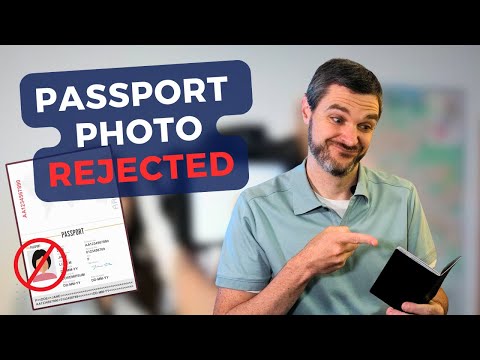
This is the most common reason for rejection that rarely gets discussed. You look at your living room wall and think, "That’s white." You take the photo, upload it, and MyICA rejects it for "Background Color." Why? Because to a camera and a computer, "white" is a specific hex code (#FFFFFF). Most home walls are actually off-white, alabaster, or eggshell.
The ICA requires a stark, consistent white background with no shadows. This is why using a basic passport size photo editor is essential. You need a tool that can programmatically strip the background and replace it with a pure, compliant white while keeping the fine details of your hair intact. If the edge of your hair looks "chopped" or blurry because of a bad edit, the AI will flag it as a manipulated image.
The Newborn Masterclass: Capturing Compliant Infant Photos
If taking a photo of an adult is hard, taking one of a two-week-old infant is a challenge. To make this easier, you can use a newborn passport photo workflow at home where the child is comfortable. This aligns with the legal framework of the Singapore Passport Act which mandates valid identification for all citizens, including infants.
The Car Seat & White Sheet Hack
Don't try to hold the baby up. Your hands will inevitably be in the frame, which leads to a 100% rejection rate. Instead, use the car seat hack:
- Drape a flat white sheet over the car seat.
- Place your baby in the seat. The natural curve supports their head.
- Ensure the sheet is tucked tight so there are no wrinkles.
- Stand over the baby and take the photo from above using your phone.
The 'Eyes Open' Struggle
For newborns, the ICA is slightly more lenient, but the eyes must still be open. A trick I’ve used is to have one parent hold a crinkly toy right behind the phone lens. The sound often triggers a brief moment of focus and wide eyes. You only need one clear shot for your passport photo app to process.

DIY Studio Setup: Using Your Smartphone Like a Pro
You don't need a DSLR to make passport size photo online free or via low-cost apps. Modern smartphone cameras have more than enough resolution. The secret is the light:
- The Window Technique: Find a window with soft, even light. Direct sun creates hard shadows under your nose and chin.
- Distance: Stand about 0.5 to 1 meter away from the wall to minimize casting a shadow.
- The Photographer: Don't use the selfie camera; have someone else take the photo using the rear lens to avoid facial distortion.
10 'Invisible' Reasons Your Photo Will Get Rejected
Even if you think it looks good, these small errors often trigger the ICA's manual review:
- Eyebrow Obstruction: Your fringe or bangs must not cover your eyebrows.
- Glasses Glare: I recommend taking them off to avoid reflection rejections.
- Colored Contact Lenses: These are strictly forbidden.
- Shadows on the Face: Ensure even lighting on both sides.
- Shoulder Alignment: You must be square to the camera.
- JPEG Compression: MyICA needs a crisp image, typically at 300 DPI.
- Mouth Slightly Open: Ensure lips are fully closed.
- Background Noise: Stray hairs or wall wrinkles can be flagged.
- Over-exposure: Avoid "glowing" foreheads from harsh lights.
- Head Tilt: Use phone gridlines to keep your head perfectly straight.
Navigating the MyICA Portal Walkthrough
Once you have your photo from a passport size photo editor, the upload process on the MyICA Portal is straightforward. When you upload, the system does an initial scan. If you see an error like "Image quality not acceptable," it’s often a file size issue. If it says "Facial features not detected," it’s likely a lighting or hair-covering-eyes issue. Don't try to force a bad photo through; it's always better to retake it than risk a formal application delay.
AI vs. Manual Editing: The Danger of Filters
We live in a world of filters, but for government IDs, they are your worst enemy. The ICA’s biometric system checks for skin texture consistency. If your skin looks like a plastic doll because of a "beautifying" filter, the system flags it as "Photo Tampered." Specialized tools focus on compliance—correcting the background hex code and adjusting the DPI—rather than changing your appearance.
Regional Requirements: Beyond the SG Passport
If you’re a PR or a long-term resident, you might need a Malaysia passport photo or a US Visa photo.
- Malaysia: Size is similar (35x45mm), but the head-to-frame ratio can differ.
- US Visa: They use a 2x2 inch (51x51mm) square format.
Using a tool with these presets built-in saves you the headache of looking up international ISO standards manually.
Frequently Asked Questions
What is the best passport photo app for Singapore?
IC Photo Singapore is highly recommended because it is specifically built for ICA compliance, featuring AI-powered checks for background color, dimensions, and facial visibility.
Can I take my own passport photo with a phone?
Yes, as long as you use the rear camera, stand against a light-colored wall with even lighting, and use an editor to ensure the final file meets the 35x45mm and white background requirements.
Why was my passport photo rejected for background?
Most home walls are not "pure white." AI scanners require a specific white hex code. If there are shadows on the wall or the wall is off-white, the application will be rejected.
Conclusion: The ROI of a Perfect Photo
At the end of the day, you're not just buying a photo; you're buying time. A trip to the ICA building at Kallang to resolve a rejected photo is a half-day affair most people want to avoid. Taking your photo at home using a dedicated passport photo app gives you control. You can choose the lighting, you can wait for the baby to stop crying, and you can ensure your hair looks right. By using IC Photo Singapore, you’re adding a layer of AI-powered insurance to your application. Don't let a 35mm piece of digital data stand between you and your next trip.
Ready to Create Your Photo?
Get your perfect passport, IC, or visa photo in minutes. AI-powered, ICA-compliant, instant download.
Create Your Photo Now