Singapore Passport Photo App Guide 2026: ICA Rules & Tips
Master the 2026 ICA compliance standards with our ultimate blueprint for Singapore passport and ID photos. Learn technical biometric requirements, home-based photography strategies for newborns, and how to use a passport photo app to ensure 100% acceptance for adults and kids.
With Singapore rolling out fully automated, passport-less immigration across Changi Airport, your photo is no longer just a static image for an ID card. It has become a sophisticated piece of biometric data. The Immigration & Checkpoints Authority (ICA) now uses iris and facial recognition as the primary way to verify your identity. If your photo doesn't meet their precise mathematical standards, the system won't just 'flag' it—it will reject your application entirely. Using a reliable passport photo app is the most efficient way to ensure your digital submission meets the high-tech demands of the MyICA portal on your first attempt.
I’ve worked with countless travelers who missed flight windows because a toddler’s hair was two millimeters too low, or an expat’s PR application stalled due to a subtle shadow on their cheekbone. This guide is designed to prevent those headaches. We're going to break down the technical requirements for the MyICA portal and give you the exact steps to clear the system.
The High Stakes of the 35x45mm Frame #
Singapore is currently at the forefront of border security technology. According to The Straits Times, the New Clearance Concept (NCC) aims to allow most residents to clear immigration without presenting a physical passport. This level of automation demands extreme precision. The photo you upload today will be the baseline for every biometric gate you walk through for the next decade.
Why 'Good Enough' No Longer Works for ICA #
A few years ago, you could visit a neighborhood passport photo shop near me, sit on a wooden stool, and get a physical print that an ICA officer would manually scan. Today, you're the one handling the digital upload. The MyICA portal uses an automated screening tool that checks for facial geometry, lighting balance, and background uniformity instantly.
This software doesn't care if you look 'good.' It measures the distance between your pupils, the width of your nostrils, and the specific curve of your jawline. If your photo is poorly lit or your hair obscures these markers, the biometric engine cannot generate a reliable template. The result? An automatic rejection email 48 hours later.
The Cost of Rejection: Time, Money, and Travel Delays #
A rejected photo can add two to three weeks to your passport processing time. If you're applying for Permanent Residency (PR) or a Long-Term Visit Pass (LTVP), a photo failure can complicate your legal status. Don't waste $10 on a physical passport photo booth that doesn't provide a high-res digital copy, or $50 at a studio for a single file you could have produced at home with a professional passport size photo editor.
The Biometric Engine: What ICA is Actually Looking For #
To pass the ICA’s check, you need to think like an algorithm. Singapore follows the global standards set by the International Civil Aviation Organization, specifically ICAO Doc 9303. These rules ensure that biometric travel documents work at any border in the world.
Facial Landmarks and the Geometry of Your Identity #
The ICA’s system maps dozens of points on your face. These points must be clearly visible and unobstructed. This is why a neutral expression is mandatory. When you smile broadly, your cheeks lift, your eyes squint, and the distance between your facial landmarks shifts. For a machine trying to verify your identity at Changi Terminal 4, that smile is actually a form of data distortion.
The 'Three-Millimeter Rule': Precision in Proportions #
One of the most frequent reasons for rejection is 'incorrect framing.' The sg passport photo size requires the face to occupy between 25mm and 35mm from the crown of the head to the chin.
If your head is too small (too much background), the resolution of your facial features isn't high enough for the software. If your head is too large, the system can't find the 'edges' of your head. Using an AI-powered passport photo maker like IC Photo Singapore ensures your head is automatically scaled to these exact proportions within the 35x45mm frame.
Technical Mastery: The 2026 Compliance Checklist #
If you're taking your photo at home, these are the non-negotiables for 2026. For a visual walkthrough of these requirements, watch the official tips below:

Dimensions and Pixels: Breaking Down the Math #
While the physical size is 35mm wide by 45mm high, the digital portal has its own requirements:
- Ideal Dimensions: 400 x 514 pixels.
- File Format: ICA accepts .jpg, .jpeg, or .png.
- File Size: It must be under 2MB. Be careful with compression; if the image becomes 'pixelated,' the biometric scanner won't be able to find clean lines on your face.
Lighting Standards: Banishing the 'HDB Shadow' #
Most people take their photos under fluorescent HDB ceiling lights. This is a mistake. Overhead lighting creates deep shadows in your eye sockets and under your nose. These 'dead zones' confuse scanners.
The Pro Solution: Stand facing a window during the day. Natural, diffused light provides the most even illumination. If you must use indoor lights, place two lamps at 45-degree angles to your face to cancel out shadows. Avoid the camera's built-in flash, as it creates harsh white reflections.
Demographic Deep-Dive: The Newborn Challenge #
Ask any parent: getting a newborn passport photo is one of the most stressful parts of early parenthood. Babies don't follow instructions, and they certainly don't look at the lens on command.
The 'Bedsheet Method': A Step-by-Step Guide for Infants #
Don't take your baby to a cramped passport photo machine. Instead, try this at home:
- Lay a white bedsheet over a firm mattress.
- Place the baby on the sheet. This supports their head and provides a clean background.
- Stand directly over them. Be careful not to cast a shadow.
- Use a toy right above the camera lens to grab their attention.
- Use 'Burst Mode'. Take 30 photos in five seconds.
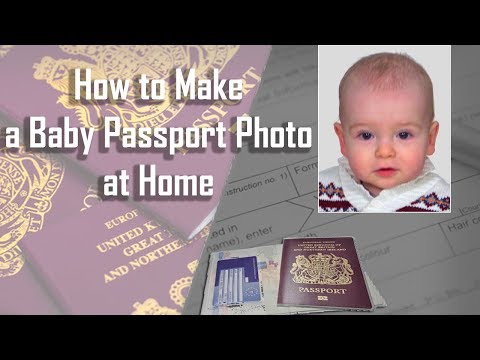
For more visual guidance on infant photography, check out this tutorial:
ICA’s Leniency vs. Hard Rules for Babies #
According to the ICA official guidelines, there is some leeway for infants under one year old. Their mouths don't have to be perfectly closed, and their eyes don't have to be wide open. However, the background must be pure white, and there can be no hands or pacifiers in the frame.
Cultural and Style Nuances: Hijabs, Turbans, and Hair #
Singapore's rules reflect its multicultural identity, but there are specific technicalities you must follow for religious headgear and personal styling.
Maintaining Religious Observance and Compliance #
If you wear a hijab, turban, or other religious headgear, it is fully accepted. However, it must not cover any part of your face.
- The Forehead: The face from the bottom of the chin to the top of the forehead must be visible.
- Contrast: Avoid wearing a white hijab. It will blend into the white background. Opt for a darker color.
The Fringe Factor: Why Your Hair is Your Biggest Enemy #
This is a top reason for adult photo rejection. ICA is strict about eyebrows. If your fringe (bangs) covers your eyebrows, the system will likely reject the photo. The brow ridge is a key biometric marker. Even if you want to make passport size photo online free, ensure your hair is tucked behind your ears or pinned back.
Comparing Your Options: Booths vs. Studios vs. AI Apps #
Where should you get your photo taken in 2026?
| Option | Cost | Convenience | Success Rate |
|---|---|---|---|
| Photo Booth | $8 - $12 | High | Medium |
| Studio | $30 - $50 | Low | High |
| Passport Photo App | $0 - $10 | Very High | Very High |
Using a free passport photo app for the initial capture and then a professional tool for validation is the modern gold standard. A tool like IC Photo Singapore gives you an instant feedback loop, checking for head tilt and lighting the second you upload.
Troubleshooting the MyICA Portal #
Solving the 'Resolution Too Low' Error #
This usually happens when you take a photo on your phone and then send it to yourself via WhatsApp. These apps compress the image. Always email the photo as an 'Attachment' to maintain the original quality.
Background Removal: Why 'Near-White' Isn’t Good Enough #
ICA's system is sensitive. A white wall at home often looks off-white in photos. AI tools solve this by digitally stripping the background and replacing it with perfect white (#FFFFFF), matching the passport size photo dimensions and color standards perfectly.
Beyond Singapore: Visa Standards for the Frequent Traveler #
If you're an expat, keep in mind that the 35x45mm standard isn't universal.
- US Visa: Requires a 2x2 inch (51x51mm) photo. See the U.S. Department of State for more.
- Malaysia Passport: Uses a 35mm x 50mm size. Check the EMGS guidelines for the latest regional updates.
Frequently Asked Questions #
Can I take my own Singapore passport photo at home? #
Yes, you can take your own photo using a smartphone. However, it must meet all ICA technical requirements, including a pure white background, neutral expression, and specific head-to-chin proportions. Using a passport photo app can help ensure compliance.
What are the exact dimensions for a Singapore passport photo? #
The physical dimensions are 35mm wide by 45mm high. For digital uploads to the MyICA portal, the ideal resolution is 400x514 pixels, and the file size must be under 2MB.
Can I wear glasses in my passport photo? #
ICA recommends removing glasses to avoid glare or frames obscuring the eyes. If you must wear them, the frames cannot cover any part of your eyes, and there must be no reflection on the lenses. Tinted lenses and sunglasses are strictly prohibited.
Final Takeaway: Don't Leave Your Identity to Chance #
Getting your Singapore passport or IC photo right shouldn't be a gamble. In an era of biometric borders, precision is your best friend. By following the lighting tips and utilizing a specialized passport photo app, you’re ensuring your travel documents move through the system without a hitch. If you're ready to skip the queue, give our AI editor a try at IC Photo Singapore.
Ready to Create Your Photo?
Get your perfect passport, IC, or visa photo in minutes. AI-powered, ICA-compliant, instant download.
Create Your Photo Now