Singapore Passport Photo Maker 2026: ICA Compliance Guide
ICA photo specs, HDB lighting tips, visa photo differences for the US, UK, China and Malaysia, and how to photograph newborns at home.
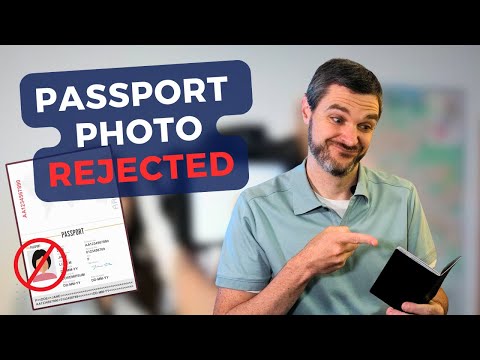
You spend twenty minutes navigating the ICA portal, carefully entering your details, only to hit a wall at the very end: the photo upload. The system rejects your file, claiming the lighting is uneven or your face is too small. In 2026, this isn't just a minor annoyance—it’s a travel bottleneck.
Singapore has fully transitioned to the "New Clearance Concept" (NCC), where your face and iris are the primary keys to moving through Changi Airport. If your photo isn’t technically perfect, you aren't just risking a delayed passport; you’re risking a glitch at the automated gates. Using a reliable passport photo app is no longer a luxury; it is a necessity for seamless digital travel.
I’ve spent years analyzing identity photography standards. In this guide, I’ll show you exactly how to capture a studio-quality, ICA-compliant photo from your living room using a passport size photo editor and common household items.
The 2026 Reality: Your Photo is Your Passport
Travel has changed. You might have noticed you rarely need to flip through your physical passport at Changi anymore. This is thanks to the ICA’s New Clearance Concept.
The Shift to Passport-less Travel
When you upload a photo to the ICA today, it’s fed into a biometric engine that maps dozens of data points—the distance between your pupils, the bridge of your nose, and the exact curve of your jaw. This digital map is what lets you walk through a gate without showing ID.
Because the system is automated, there’s no room for “artistic interpretation.” A photo that looks “fine” to you might be useless to a scanner. This is why rejections have surged; machines are far more demanding than human officers used to be. Understanding ica passport photo requirements is the first step to a successful application.
Quick ICA Compliance Checklist
| Requirement | Specification |
|---|---|
| Photo Size | 35mm wide by 45mm high |
| Background | Plain white (no shadows, no textures) |
| Recency | Taken within the last 3 months |
| Facial Expression | Neutral, mouth closed, eyes looking at camera |
| Head Height | 25mm to 35mm from chin to crown |
Decoding ICA Requirements: Beyond the 35x45mm Frame
Most people know the dimensions: 35mm wide by 45mm high. But hitting the size isn't enough to pass the gate. You need a passport photo maker that understands the geometry of the face.
The 3-Month Rule: Why "Good Enough" Isn't
ICA is incredibly strict about photos being taken within the last 90 days. People often ask, "How will they know?"
They know because their system compares your new upload against the photo on your current NRIC or last passport. If the software detects zero aging, or if the file’s metadata reveals it’s an old shot, it’s an automatic flag. If you’ve had significant dental work, facial surgery, or even a major change in weight, you need a fresh photo to update your biometric profile. For the latest details, check the official ICA Photo Guidelines.
The Golden Ratio: The 25mm to 35mm Rule
This is the most common reason for DIY failure. Your head must occupy 70% to 80% of the vertical frame. Specifically, the distance from your chin to the crown of your head must be between 25mm and 35mm.
If your face is too small, the sensors can’t pick up enough detail. If it’s too large, you lose the top of your hair or your chin line, which also triggers a fail. When you use an AI-powered online passport and ID photo editor, the software handles this cropping automatically, saving you from the frustration of manual digital rulers.
The Professional Studio in Your HDB: Lighting Hacks
You don’t need a $2,000 camera to pass. You just need to understand how light works in a standard Singapore apartment. Using a free passport photo app can help, but the physical environment is key.
The Corridor Window Technique
The best light source in any HDB isn't a fancy ring light; it’s your window. Natural, diffused light is the gold standard for accurate skin tones.
The Setup: Find a window between 10 AM and 4 PM (avoiding the harsh orange sunset light). Stand facing the window. Have your photographer stand between you and the window without blocking the light. This ensures your face is lit evenly from the front. Avoid overhead LED ceiling lights at all costs—they create "raccoon eyes" (dark shadows in the eye sockets) that are an instant rejection for biometric photos.
Defeating the 'Shadow Monster'
Shadows are the #1 cause of rejection. Watch out for two types:
- Side Shadows: Caused by light hitting one side of your face. Your lighting must be symmetrical.
- Wall Shadows: Caused by standing too close to the wall.
To fix the wall shadow, take two big steps away from the wall. This lets the light wrap around you and eliminates that dark "halo" behind your head that confuses the ICA's background-detection software.
The Global Compliance Matrix: SG vs. The World
If you’re an expat or frequent flyer, you likely need more than just an SG photo. Unfortunately, there is no global standard, which is why a versatile passport photo app is useful.
| Feature | Singapore Passport | US Visa | UK Digital Code | Malaysia Passport |
|---|---|---|---|---|
| Size | 35 x 45 mm | 2 x 2 inches | 35 x 45 mm | 35 x 50 mm |
| Background | White only | White / Off-white | Cream / Light Grey | White |
| Head Size | 25 - 35 mm | 50 - 69% of height | 29 - 34 mm | 25 - 30 mm |
The US Visa (2x2) and UK Digital Codes
The US Department of State uses a square 2x2 inch format, which is completely different from the 3:4 ratio used elsewhere. Meanwhile, the UK uses a "Digital Photo Code" system. Instead of a file, you get a unique code from a certified provider. You can find more about these at the UK Government Digital Photo Rules.
Regional Variations: Malaysia and China
Malaysia requires a 35x50mm photo—slightly taller than Singapore’s. If you try to reuse your SG photo, the proportions will be wrong, and the facial mapping will fail. For specifics, visit the Malaysia Immigration Photo Specs.
Mission Impossible: Newborn and Toddler Photos
Getting a baby to look at a lens with a neutral expression is nearly impossible. Many parents ask where to take passport photo Singapore for infants, but you can actually do it better at home.
The White Sheet Method
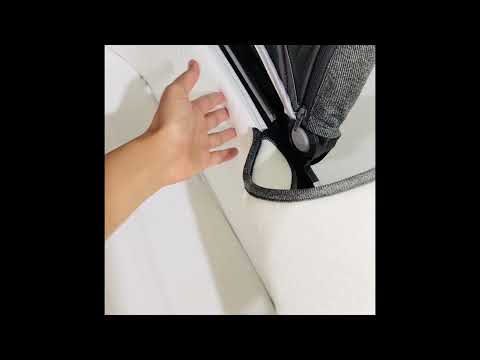
Don’t try to hold the baby against a wall. Instead, lay a white sheet on a firm mattress or the floor. Place the baby on the sheet. Stand directly over them—use a neck strap on your phone so you don't drop it! This keeps the baby comfortable and ensures a clean background.
ICA is slightly more lenient with infants regarding eyes being perfectly open, but the head must be centered, and no hands (yours or theirs) can be in the frame. Pro tip: Use a squeaky toy right next to the camera lens to catch their gaze for a split second. A newborn passport photo doesn't have to be a struggle.
The White Wall Trap: Backgrounds and AI
You might think your living room wall is white. The ICA’s computer usually disagrees, seeing "eggshell blue" or "light grey" because of shadows and textures. This is where IC Photo Singapore becomes invaluable. Their AI distinguishes the boundary of your hair and replaces your "almost white" wall with a digitally perfect, hex-coded #FFFFFF white. This removes the most common technical reason for rejection.
Wardrobe, Grooming, and the 'No-Filter' Rule
Since the background is white, do not wear a white shirt. You’ll look like a "floating head" in the system. Go for a dark, solid color like navy, black, or charcoal. Avoid busy patterns; they can distract the facial recognition software.
The Spectacle Dilemma
Can you wear glasses? Technically, yes—but I wouldn't. ICA rules state there must be no reflection and eyes must be fully visible. Glare is incredibly hard to avoid without professional studio umbrellas. Just take them off for the photo. It’s a 30-second fix that prevents a two-week delay.
Frequently Asked Questions
What is the Singapore passport photo size?
The required sg passport photo size is 35mm wide by 45mm high. The face should take up 25mm to 35mm of that height.
Can I make a passport size photo online for free?
Yes, you can make passport size photo online free using various tools, but ensure they specifically support ICA standards for 2026 to avoid rejections.
Where is the best place to take a passport photo near me?
While you can look for a passport photo shop near me, many Singaporeans now prefer using a passport photo app at home for convenience and guaranteed compliance.
Are there specific Malaysia passport photo requirements?
Yes, passport size photo malaysia requirements differ slightly, typically requiring a 35x50mm size with a white background and specific head proportions.
Troubleshooting Rejections: When the ICA System Says No
If you get a rejection email, check the reason code immediately:
- "Lighting not uniform": One side of your face is brighter. Move your light source directly in front of you.
- "Blurry/Low Quality": You probably used the front "selfie" camera. The back camera of a smartphone is much higher quality. Have someone else take the shot.
- "Hair covering forehead": Your eyebrows and eyes must be 100% visible. Tuck your hair back or use a small amount of gel.
In 2026, your identity photo is no longer just a picture—it’s a piece of biometric technology. By mastering the lighting and using a specialized passport photo maker, you ensure your travel plans stay on track. Don't leave your documentation to chance; get it right the first time with an expert passport size photo editor.
Ready to Create Your Photo?
Get your perfect passport, IC, or visa photo in minutes. AI-powered, ICA-compliant, instant download.
Create Your Photo Now