Where to Take Passport Photo Singapore (2026 Comparison)
Where to take a passport photo in Singapore in 2026: MRT booths, studios and AI passport photo apps compared on cost, compliance and speed.
If you have renewed your Singapore passport recently, you already know that physical paper prints belong to an earlier decade. The Immigration & Checkpoints Authority (ICA) processes applications almost entirely online through the MyICA portal. Yet, thousands of Singaporeans and residents still search every month for a "passport photo shop near me" or run to the nearest MRT station looking for an automated booth.
Why? Because nobody wants the dreaded email notifying them that their submitted photo was rejected.
An invalid photo kicks your passport application to the back of the queue. If you have an upcoming flight, a work trip, or school holidays approaching, waiting an extra two to three weeks because your image had subtle shoulder shadows or your fringe brushed your eyebrows can derail your plans. In 2026, you have three primary ways to secure a compliant passport photo: hunt down an automated kiosk, visit a neighborhood photography studio, or snap one on your phone using an AI passport photo app. Each approach has trade-offs in price, convenience, and compliance.
Let's break down each option honestly so you can pick the best route for your situation.
The 2026 Digital Shift: Why Passport Photos in Singapore Changed
For decades, getting a passport photo meant walking into a physical shop in your neighborhood town centre, sitting on a swivel stool in front of a white pull-down roller, and walking out fifteen minutes later holding four glossy 35mm by 45mm stickers in a little paper envelope.
That entire ecosystem was disrupted when the Immigration & Checkpoints Authority (ICA) shifted all passport renewals, Identity Card (IC) registrations, and long-term pass submissions to digital-first workflows. Today, when you submit a passport renewal via Singpass on MyICA, the system expects a direct digital image upload: a jpg, jpeg, heic, heif or png file of up to 8MB, strictly formatted to 400 by 514 pixels, with specific biometric ratios.
Physical photo prints are practically useless for passport renewals unless you are attending an exceptional, manual appointment at the ICA Building in Kallang. Yet, legacy photo providers have been slow to adapt, often treating digital files as an afterthought or an excuse to levy surcharges.
The Hidden Cost of an ICA Photo Rejection
Singapore has some of the strictest border-control technology on earth. Automated clearance lanes at Changi Airport rely on advanced facial recognition that compares your live biometric scan against the baseline image stored on your passport's contactless chip.
Because of this, ICA does not compromise on photo rules. According to official ICA Photo Guidelines, rejections happen for seemingly minor infractions:
- Hair partially covering your eyebrows or the outer contours of your eyes
- Uneven flash creating faint grey shadows on the wall behind your ears
- Glare or reflections on spectacle lenses, or frames covering any part of your eyes
- An open mouth or subtle toothy smile (a totally neutral expression is mandatory)
- Over-softened facial features from aggressive "beauty mode" filters
- Contrast mismatch from wearing a plain white shirt against an off-white background
When ICA rejects your photo, your application status resets to "Pending Resubmission." In peak travel seasons like June or December, this delay routinely adds 10 to 20 working days to passport processing times. If you are renewing in a hurry, getting your photo right on the first attempt is everything.
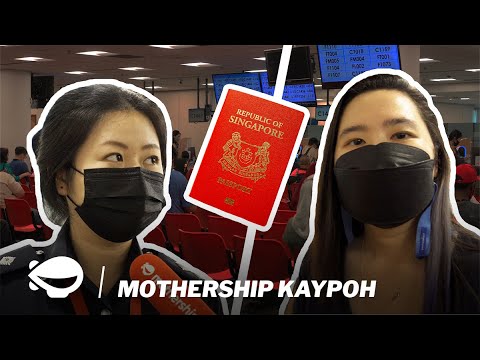
Option 1: MRT and Mall Photo Booths (Photo-Me / Fujifilm Kiosks)
Automated photo booths—most noticeably the Photo-Me kiosks operated by ME Group—have stood beside ticket concourses and underpass stairs across Singapore for decades. If you have ever commuted through a major MRT interchange, you have heard their automated audio prompt: "Please look straight into the camera."
Common Booth Locations Across Singapore
You can still find these classic self-service kiosks at high-footfall transit nodes, including:
- MRT Interchanges: Jurong East, Raffles Place, Tampines, Bugis, Bishan, and Dhoby Ghaut
- SingPost Branches: Larger community post offices often house a booth inside or near the entrance
- Heartland Shopping Malls: Nex (Serangoon), Causeway Point (Woodlands), Northpoint City (Yishun), and AMK Hub
These booths usually run 24/7 if they sit outside the MRT fare gates, making them tempting for emergency late-night submissions.
The Reality of Using a Booth: Lighting, Glasses, and Soft Copies
While a photo booth seems convenient, real-world user experiences tell a different story. If you browse community discussions on Singapore forums, complaints about photo booths are consistent:
- The Lighting Problem: The strobe lighting in compact kiosks is harsh and fixed. If you are tall or short, the angle can create harsh under-chin shadows or reflections on your forehead. If you wear glasses, the flash almost always bounces off your lenses. ICA rejects images with flash glare on spectacles, leaving you no choice but to take off your glasses.
- The Zero-Forgiveness UI: Most machines offer one or two retakes maximum. If you blinked, tilted your head by three degrees, or realized your collar was crooked, the machine prints whatever it captured.
- Clunky Digital Retrieval: Traditional booths were engineered to spit out physical prints. To give you a digital file, modern kiosks display a QR code on the receipt that leads to a third-party server where you download a JPEG. These download portals sometimes fail, expire after a short window, or download an uncompressed, awkwardly cropped image that does not match ICA's required 400x514 pixel dimension.
- Cost: Expect to pay between S$8.00 and S$12.00 per session. Considering you receive physical prints you likely will not use, you are essentially paying S$10 for a single digital file you had zero control over.
Photo booths work in a pinch if you have an average build, do not wear spectacles, and just need a quick, no-frills shot. For anything sensitive, they can be frustrating.
Option 2: Traditional Neighborhood Studios and Korean Portrait Boutiques
If you prefer having another human position your head and adjust the lighting, Singapore still boasts dozens of photography studios. These range from nostalgic neighborhood shops in HDB estates to high-end Korean-style portrait houses in shopping districts.
Heartland Photo Studios: The Classic Experience
Almost every older neighborhood—from Ang Mo Kio Central and Bedok to Clementi and Toa Payoh—has a veteran photo shop. Complexes like Bras Basah Complex, Peninsula Plaza, and People's Park Complex in Chinatown host multiple independent studios that have operated for thirty years.
The staff know ICA's rules inside out. They will tell you to tuck your hair behind your ears, straighten your posture, pull down your collar, and wipe shine off your nose. They use external studio strobes diffused by softboxes, which completely eliminates background shadow.
A basic package at a heartland studio typically ranges from S$15.00 to S$30.00.
The Dreaded Soft-Copy Surcharge and Korean-Style Retouching Risks
While studios provide great lighting and professional guidance, they have two big drawbacks in 2026:
1. The Soft-Copy Markup: Many traditional studios still operate on print-era margins. Their headline price of S$15 covers four physical prints. When you tell them you only need the digital soft copy for MyICA, they frequently slap on an extra "digital processing fee" or "email surcharge" of S$10 to S$20. You can easily walk out paying S$35 to S$45 for a single JPEG.
2. The Danger of Over-Retouching: In recent years, trendy "Korean-style ID portrait studios" have popped up in Orchard Road and Bugis malls, charging S$40 to S$70 per session. These studios market flattering ID photos with professional hair, makeup touch-ups, and extensive digital editing (chin slimming, skin tone porcelain whitening, eye enlargement).
Here is the catch: ICA's automated facial comparison system rejects modified biometric portraits.
According to the international biometric standards set by the International Civil Aviation Organization (ICAO) Doc 9303, biometric passport photos must preserve authentic facial geography—including skin texture, birthmarks, scars, and natural contours. If an editor reshapes your jawline, smooths out natural features, or manipulates your eye shape, your image may trigger an algorithmic mismatch during automated border gates, or get rejected outright during ICA processing.
Save the Korean-style glamour shoots for your LinkedIn profile or corporate resume. Keep your passport image authentic.
Option 3: AI Passport Photo Apps and Online Editors
Over the last two years, machine-learning vision models have matured to the point where mobile apps and web editors deliver studio-grade compliance from your living room sofa.
Instead of paying a photographer S$40 or wrestling with an MRT kiosk, you take a photo using your smartphone's camera, upload it to an online passport photo maker, and let specialized algorithms handle the tedious technical requirements.
How Biometric Algorithms Handle Sizing, Backgrounds, and Lighting
A dedicated tool like IC Photo Singapore does not just slap a white box behind your head. It carries out several automated checks:
- Semantic Matting: Separates individual hair strands from your background and replaces your wall with an ICA-compliant pure white backdrop (RGB 255, 255, 255), without the ugly "halo" effect common in generic background removers.
- Biometric Head-to-Frame Ratio: ICA mandates that your head—from the crown of your head to your chin—must occupy between 70% and 80% of the vertical frame (roughly 25mm to 35mm on a physical 45mm print, or 280 to 320 pixels on a 400x514 pixel upload). An AI editor centers your facial axis and crops your portrait to exact pixel dimensions automatically.
- Facial Landmark & Compliance Validation: The software scans for open mouths, head tilt, eyewear glare, shadow unevenness, and obstruction of your eyebrows and ears, giving you immediate feedback before you submit.
The Convenience Factor: Unlimited Retakes from Home
The biggest advantage is psychological: zero pressure. Sitting in an MRT booth while a line forms outside, or sitting in front of an impatient studio photographer, can make anyone self-conscious.
With a mobile passport photo editor, you can take thirty pictures on your phone until you find one where your posture looks relaxed and your expression is natural. If your hair is slightly askew in the first take, you comb it and shoot again at your own pace.
Cost-wise, reputable platforms offer basic compliance checks for free, with full biometric resizing and high-resolution digital exports costing a fraction of a studio package. Plus, you get an instant digital file ready to drop into the MyICA upload portal, with no secondary trips or print-scanning needed.
Head-to-Head Comparison: Booth vs. Studio vs. Passport Photo App
To make an informed choice based on your schedule, budget, and comfort, here is how the three options compare across every critical metric in 2026:
| Evaluation Factor | MRT / Mall Photo Booth | Heartland / Korean Studio | AI Passport Photo App |
|---|---|---|---|
| Typical Cost | S$8.00 – S$12.00 | S$25.00 – S$65.00 (with digital soft copy) | Free basic / S$6.00 – S$10.00 for pro export |
| Time Required | 10–15 mins (plus transit time) | 45–90 mins (travel, waiting, post-processing) | 3–5 minutes from home |
| Retake Allowance | 1 or 2 retakes maximum | Up to photographer's patience (usually 3–5) | Unlimited retakes |
| Digital Soft Copy Included? | Often requires QR code; sizing can vary | Frequently charges S$10–S$20 surcharge | Included as standard (formatted 400x514 px) |
| Baby / Newborn Suitable? | Impossible (no infant support) | Very difficult; many studios decline | Ideal (baby can lie flat on a bed) |
| ICA Compliance Check | Basic visual alignment guide | Dependent on staff experience | Algorithmic validation against ICA specs |
| Risk of Rejection | Moderate (lighting shadows, glasses glare) | Low (heartland) to High (over-edited Korean style) | Extremely Low (built-in validation) |
Looking at the breakdown, it is easy to see why the shift toward home-based AI passport photo makers has accelerated. For standard adult and teenage passport renewals, paying high studio fees or gambling on booth lighting is rarely worth the hassle.
Specialized Scenarios: When Standard Options Fall Apart
Most healthy adults can make any of the three options work if they try hard enough. However, specific situations make traditional physical options completely impractical.
Newborns and Toddlers: Why Studios and Booths Struggle
Taking a passport photo for a one-month-old infant is one of the most frustrating errands a new parent can undertake.
Try imagining this: you buckle an infant into a stroller, travel to an MRT station or heartland mall, and attempt to hold them upright inside a cramped photo booth. The baby cannot support their neck, the flash startles them into tears, and their hands constantly flail into the frame. Booths are completely unusable for infants.
Traditional studios are not much better. Even experienced photographers struggle when an infant gets overtired or fussy under hot studio flashbulbs. Many neighborhood studios in Singapore openly decline newborn appointments because of how long they take.
The Home-App Workaround: ICA understands that babies cannot pose like adults, but they still enforce key rules: the child's eyes must be open, their mouth closed (or reasonably resting), and no parent's hands or toys can appear in the frame.
With an AI editor, you lay a clean white cot sheet or muslin wrap on your bed or floor. Place your baby comfortably on their back when they are calm and well-rested after a feed. Stand over them with your phone held parallel to their face, wait for them to look up toward the ceiling, and snap several continuous shots using natural window light.
An AI tool like IC Photo Singapore automatically cuts out the sheet folds behind the baby, balances the background to sterile white, centers the infant's face, and outputs a compliant file without you ever leaving the nursery.
Regional Cross-Border Needs: Singapore ICA vs. Malaysian High Commission
Singapore is home to hundreds of thousands of Malaysian citizens, PRs, and cross-border professionals who must renew their passports through the Malaysian High Commission in Singapore or via the Malaysian Immigration Department's MyOnline Pasport portal.
Many people mistakenly assume Singapore ICA requirements and Malaysian passport requirements are identical. They are not. Submitting an ICA-styled photo to the Malaysian passport system will almost certainly result in a rejection.
Key differences to keep in mind:
- Background Color: ICA requires a pure white background. The Malaysian Immigration Department strictly requires an off-white or light blue/white background depending on whether you submit via the physical mission or the online portal. Most Malaysian renewals require a plain white background with zero shadows, but with much darker contrast restrictions on what the applicant wears.
- Clothing Contrast: Malaysia strictly bans light-colored shirts for passport photos. You must wear dark clothing (preferably black, dark navy, or dark charcoal) that covers your shoulders and chest. If you wear a light grey or pastel shirt, the Malaysian system will reject your photo. In contrast, Singapore ICA allows lighter colors, provided your clothes do not blend entirely into the white wall.
- Dimensions: While Singapore MyICA requires 400x514 pixels (representing a 35x45mm aspect ratio), the Malaysian online system expects a 35mm wide by 50mm high crop, or specific aspect ratios matching their upload portal.
- Facial Hijab / Tudung Rules: Both countries permit religious head coverings, but Malaysian guidelines are exceptionally strict about the hijab being dark-colored (no white or light cream tudungs) and fully revealing the face from the hairline at the top of the forehead to the bottom of the chin.
If you are an expat in Singapore balancing international documents, using an adaptable digital editor where you can select the target country (Singapore vs. Malaysia vs. US Visa vs. Schengen Visa) prevents costly jurisdictional mistakes.
Step-by-Step: How to Take an ICA-Compliant Passport Photo at Home
If you decide to save time and money by taking your passport photo at home, you do not need professional lighting rigs or expensive mirrorless cameras. Modern smartphone cameras—iPhone, Samsung Galaxy, Google Pixel, or similar devices from the last five years—have more than enough optical resolution.
Follow this simple protocol to ensure your shot passes ICA screening on the first try.
+-------------------------------------------------------------+
|                 HOME PASSPORT PHOTO SETUP                   |
|                                                             |
|          [ Window with Diffused Daylight ]                  |
|                         |                                   |
|                         v                                   |
|                  ( Your Face )   <-- Neutral expression     |
|                   /         \        Eyes open, mouth shut  |
|                                                             |
|                         ^                                   |
|                         | (1.5 - 2.0 meters distance)       |
|                         |                                   |
|                 [ Friend or Tripod ]                        |
|               (Phone at eye level)                          |
|                                                             |
|        * Solid wall behind you (no heavy shadows)           |
+-------------------------------------------------------------+
1. Lighting, Distance, and Facial Pose Checklist
- Find Diffused Daylight: Stand about 1 to 2 meters away from a large window during the daytime. Natural, indirect light illuminates your face evenly from the front, filling in under-eye hollows and eliminating harsh nose shadows. Avoid direct, harsh sunlight, which creates blown-out highlights on your cheeks.
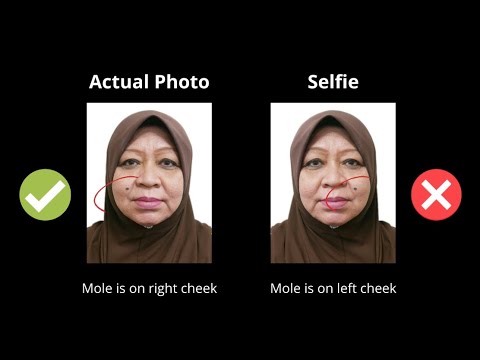
- Do Not Take a Selfie: Never use the front-facing selfie camera held at arm's length. Front cameras have wide focal lengths that distort your face, making your nose appear wider and your ears disappear behind your cheeks. Hand your phone to a friend or mount it on a simple tripod placed 1.5 to 2 meters away. Set the rear camera lens at exact eye level.
- Check Your Expression and Posture: Stand straight with your shoulders back and relaxed. Look directly into the camera lens with both eyes open. Maintain a neutral expression: lips gently sealed, teeth hidden, eyebrows at rest. Do not tilt your chin up or tuck it into your chest.
- Mind Your Hair and Accessories: ICA officers check that both eyebrows and facial contours are clearly visible. If you have long bangs or side fringe, pin them back or tuck them neatly behind your ears. If you wear spectacles, the safest move is simply to take them off. If you must keep them on, ensure the frames are thin, do not cover your pupils, and have zero glare reflections from ambient light.
- Wear the Right Attire: Choose a collared shirt or high-neck top in a dark, solid color (navy, black, maroon, dark green). Avoid white shirts (which blend into the background) and scoop-neck tops (which can make you look bare-shouldered in a tight biometric crop).
2. Processing Your Shot with IC Photo Singapore
Once you have taken a few clear shots, head over to an online photo maker to finish the job:
- Upload Your Image: Open your browser on your phone or desktop and load your chosen image into the editor.
- Automatic Biometric Crop: The platform automatically identifies your eye positions, chin line, and top of head, cropping the image to ICA's precise 35:45 ratio and 400x514 pixel resolution.
- Background Neutralization: Any home wall texture, color cast, or subtle shadows are stripped away, replaced with the clean, flat white background mandated by Singapore regulations.
- Compliance Verification: The tool runs an automated check across brightness, contrast, head size proportions, and facial orientation.
- Download and Submit: Download the ready-to-upload JPEG file directly to your device. Head straight to the MyICA Portal and attach your file to your passport application.
Frequently Asked Questions About Singapore Passport Photos
Are digital photos taken at home accepted by ICA?
Yes. ICA does not care whether a photo was taken in a commercial studio or in your living room. Their review system checks the submitted file against strict biometric benchmarks: sharpness, lighting, facial dimensions, eye clearance, neutral expression, and pure white background. As long as your digital image meets these standards, it will be accepted.
What are the exact digital dimensions required for MyICA passport uploads?
For online passport applications via MyICA, your image file must meet these exact specifications:
- Dimensions: Exactly 400 pixels wide by 514 pixels tall
- File Format: jpg, jpeg, heic, heif or png
- File Size: 8MB or less
- Aspect Ratio: Roughly 35mm by 45mm, with the face measuring between 25mm and 35mm from the bottom of the chin to the crown of the head
- Recency: Taken within the last 3 months
Can I wear spectacles or light makeup for my Singapore passport photo?
While ICA technically permits prescription glasses, their guidelines state that frames must not obscure any part of your eyes, and there must be no reflection or glare on the lenses. Because even faint lens reflections trigger automated rejections, ICA strongly recommends taking photos without spectacles.
Light, everyday makeup (foundation, light eyebrow filler, tinted lip balm) is acceptable. However, avoid heavy contouring that alters your natural facial structure, thick false eyelashes, dramatic winged eyeliner that changes eye shape, and colored contact lenses (which are strictly forbidden under ICA Biometric Rules).
Can I wear religious headgear (Tudung / Turban) in my passport photo?
Yes. Religious headgear is fully permitted for Singapore passport and IC photos, provided it does not cover any part of your face. Your forehead, eyebrows, eyes, cheeks, and chin must be entirely visible. In addition, the headgear should be of a dark color to provide sufficient contrast against the mandatory pure white background.
Where can I find a passport photo booth near me open 24/7 in Singapore?
Most automated photo booths located outside MRT fare gates—such as those at major transport hubs like Jurong East, Raffles Place, Bishan, and Tampines—are accessible 24 hours a day. However, if you are already at home with a smartphone, using an online passport photo maker eliminates the midnight MRT run entirely.
Summary: Which Route Should You Choose?
Choosing where to get your passport photo comes down to your personal priorities:
- Choose a photo booth if you are already commuting through an MRT station, need a cheap physical print for an unusual foreign visa application, and do not mind rigid lighting or a lack of retakes.
- Choose a traditional studio if you feel uncomfortable taking photos yourself, want an experienced portrait photographer to guide your posture, and do not mind paying S$30 or more for digital soft copies.
- Choose an AI passport photo app if you want to save time, desire unlimited retakes in the privacy of your home, need photos for newborns or restless toddlers, or simply want a guaranteed, ICA-compliant digital file ready for MyICA in under five minutes.
With digital processing now the default in Singapore, taking control of your passport photo from your phone is no longer a compromise—it is the fastest, most reliable path to smooth travels.
Ready to Create Your Photo?
Get your perfect passport, IC, or visa photo in minutes. AI-powered, ICA-compliant, instant download.
Create Your Photo Now