Mastering the ICA Passport Photo: Why Selfies Fail & How to Fix It
Learn why 1 in 5 DIY passport photos are rejected by ICA and how to use a professional passport photo app or online editor to guarantee approval. This masterclass covers biometric standards, lighting hacks for HDB flats, and expert tips for newborn passport photos.
We’ve all had that sinking feeling. You finally find an hour to renew your Singapore passport, upload a decent-looking selfie to the MyICA portal, and think you're done. Then, three days later, the email arrives: "Your photo does not meet the requirements."
Now you’re stuck. You’ve lost your place in the processing queue, your December holiday is looming, and you’re faced with the prospect of hunting down a functional passport photo shop near me. This is where a reliable passport photo app becomes essential.
Here is the reality: The Immigration & Checkpoints Authority (ICA) isn’t being pedantic. Singapore uses some of the world’s most advanced facial recognition. Their AI doesn’t see a "nice photo"; it sees a mathematical map of your face. If a shadow obscures the bridge of your nose or your hair blurs the edge of your iris, the map breaks, and the system flags you for manual review—or flat-out rejection.
This guide is here to stop that cycle. We will walk you through the technical nuances of biometric compliance and show you how to turn your HDB flat into a pro-quality studio using a high-quality passport photo maker and a few household items.
The High Stakes of a Small Photo: Why ICA Rejects 1 in 5 DIY Submissions #
ICA’s automated systems are built for one thing: speed at the border. When you walk through the automated lanes at Changi, the system compares your live face to the digital image on your passport chip. If that original image is poor, the biometric match fails, and you’re sent to the back of the manual queue. Recent reports from The Straits Times highlight how high demand can lead to significant processing delays if your documentation isn't perfect.
How ICA’s AI Actually Reads Your Face #
In the last few years, ICA has updated its algorithms to align with International Civil Aviation Organization (ICAO) Document 9303 standards. The software needs specific contrast levels to distinguish your features from the background. Most DIY photos fail because they lack the "depth" required for the AI to recognize the face as a 3D object.

The Biometric Anatomy: What the ICA Portal is Looking For #
To you, it’s a portrait. To the ICA portal, it’s a data set. You need to ensure those data points are undeniable by following the official ICA Photo Guidelines.
The 80% Rule and the 'Floating Head' Error #
The standard sg passport photo size is 35mm wide by 45mm high. However, the most critical factor is the head size. Your face must take up between 25mm and 35mm from the chin to the crown of the head. That’s roughly 70% to 80% of the frame.
Using a dedicated passport size photo editor helps automate this framing, ensuring you don't fall into the "too close" or "too far" trap that triggers an automatic fail.
The Landmark Strategy: Eyes, Nose, and the 'No-Smile' Policy #
The AI looks for specific "anchor points":
- The Eyes: Both must be open and level. Even a slight tilt of the head can throw off the horizontal alignment the AI expects.
- The Nose: The bridge must be clear. Side-lighting often casts a shadow from the nose onto the cheek, distorting facial measurements.
- The Mouth: Keep it closed. A smile changes the distance between your nose and chin, potentially invalidating the biometric match.
The HDB Studio Hack: Professional Lighting with Household Items #
Most Singaporean homes have either harsh overhead fluorescent tubes or dim "mood" lighting. Both are a disaster for ID photos. To achieve professional results without a studio, you must understand the basics of portrait lighting, as detailed by experts at Digital Photography School.
Killing the 'Shadow Silhouette' #
The #1 reason for rejection is a shadow on the background. If you stand directly against a white wall, your head will cast a dark silhouette behind you.
The Fix: Stand about 0.5 to 1 meter away from the wall. This allows light to wrap around you, pushing any shadow down and out of the frame. If you still see shadows, have someone hold a white A4 paper at your chest level (out of the camera’s view). This acts as a reflector, bouncing light back up to fill in dark under-eye areas.
The Tropical Sun: Natural vs. Artificial Light #
The best light is free. Use a window during the day, ideally between 10 AM and 3 PM. Stand facing the window so the light hits you evenly. If the sun is too harsh and creates bright white patches on your forehead, hang a thin white curtain to act as a "diffuser."
Spectacles and Headgear: The Rules Nobody Tells You #
This is where many applications hit a wall. Singapore’s ica passport photo requirement for accessories is incredibly strict.
The Pupil-Glare Trap #
Technically, ICA allows glasses. In practice, they are the leading cause of manual rejection. If there is even a tiny reflection of light on the lens that obscures the pupil, the photo is invalid. Thick frames that cover the edge of the eye are also an automatic 'no.'
Expert Advice: Just take them off. Unless you have a medical reason, it is much safer to take the photo without spectacles to ensure compliance with biometric standards.
Tudungs, Hijabs, and Turbans: The Contrast Rule #
Religious headgear is fully permitted, but the "Full Face" rule is non-negotiable.
- Visibility: Pin your headgear slightly further back to ensure your entire forehead and the edges of your face are visible.
- Contrast: If you wear a white hijab against a white wall, your face will look like it’s floating. Wear a darker color to provide a clear boundary for the AI to crop against.
The Newborn Specialist: Capturing Compliant Infant Photos #
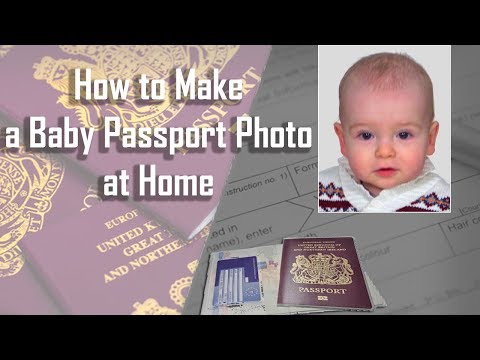
Taking a newborn passport photo that meets ICA standards is the ultimate parenting challenge. They don't follow directions, and they certainly don't care about biometric landmarks.
The White Bedplate Method #
Don’t try to hold the baby up. Your hands will be in the shot, and that’s an automatic rejection. Instead, lay a white bedsheet on the floor or a firm mattress. Lay the baby on their back on the sheet and take the photo from directly above. This gives you a clean white background and keeps the baby safe and comfortable.
Catching the 'Alert Window' #
ICA requires the baby’s eyes to be open. This window is usually tiny. Have your camera settings ready before they wake up. Use a high-contrast toy or a squeaky object held right next to the phone lens to grab their attention for that one clear second.
Post-Processing Pitfalls: Why Beauty Filters Result in Rejection #
We live in the era of Instagram, but your passport photo needs to be "real," not "perfect." ICA’s software can detect digital smoothing. If you use a filter to clear your skin or brighten your eyes, the AI may flag the photo as "altered."
Pixelation and the DPI Disaster #
When you take a photo on a high-end smartphone, the file is massive. If you use a random "online compressor" to make passport size photo online free, you might end up with pixelation. When the AI zooms in on your eyes, it sees blocks of color instead of a sharp iris. Always use a tool specifically designed for biometric resolution to ensure the image remains intact.
Singapore vs. Malaysia: Knowing the Regional Differences #
If you’re a dual resident or frequent traveler, don’t assume the rules are identical. While both use the 35x45mm format, the Malaysia Immigration Department (JIM) has historically been more specific about background shades for certain visas. However, Singapore is much stricter about the "neutral expression." A slight smirk that shows a hint of teeth might pass in other countries, but it will almost certainly be rejected by ICA.
Frequently Asked Questions #
What is the Singapore passport photo size in pixels? #
For online submission to ICA, the photo should be at least 400 x 514 pixels. However, the physical dimensions must correspond to 35mm width by 45mm height at a resolution of at least 300 DPI.
Can I take my own passport photo with a phone? #
Yes, you can take a passport photo with a smartphone as long as it meets all ICA requirements. Using a specialized passport photo app like IC Photo Singapore ensures your selfie is converted into a compliant biometric document.
Why was my ICA passport photo rejected? #
The most common reasons for rejection include background shadows, uneven lighting, eyes not looking directly at the camera, or hair covering parts of the face or eyebrows.
Can I wear a white shirt for my passport photo? #
It is highly recommended to wear a dark-colored shirt. Since the ICA requires a white background, wearing a white shirt can make your shoulders "disappear" into the background, causing the AI to fail the cropping process.
The Bottom Line: Don’t Let a Photo Delay Your Holiday #
A "free" DIY photo isn’t free if it costs you two weeks of processing time. If your photo is rejected, you go to the back of the queue. During peak seasons like June or December, that delay can be the difference between making your flight or canceling your trip.
This is why we built IC Photo Singapore. It’s not just a cropping tool; it’s an AI engine trained on the exact parameters used by the ICA. When you upload a photo, we check for the "invisible" errors—the soft shadows, the lux levels, and the precise biometric landmarks.
We’re so confident in our system that we offer a lifetime remake guarantee. If the requirements change or your photo is rejected for any reason, we’ll fix it at no extra cost.
Quick Checklist for Success:
- Background: Pure white, no shadows, no louvered window textures.
- Distance: Stand 1 meter from the wall to eliminate shadows.
- Lighting: Face a window directly; no overhead lights.
- Expression: Eyes open, mouth closed, no teeth.
- Attire: Wear a dark shirt to contrast with the white wall.
Don’t leave your travel plans to a roll of the dice. Take your newborn passport photo or your own renewal photo at home using our passport photo app, let our AI handle the technicalities, and get back to what matters—planning your journey.
Ready to Create Your Photo?
Get your perfect passport, IC, or visa photo in minutes. AI-powered, ICA-compliant, instant download.
Create Your Photo Now