Singapore PR & Citizenship Photo Guide: ICA Compliance 2026
Applying for Singapore PR or citizenship? The ICA photo requirements explained, with tips to avoid rejections when you upload your photo.
If you’re reading this, you’ve likely reached a massive milestone. Whether you’ve been here on an Employment Pass for years or you’re finally ready to commit to Singapore Citizenship (SC), you know the paperwork isn't a joke. You’ve likely spent weeks chasing bank statements, tax records, and employer testimonials.
Then comes the photo.
On the surface, it’s just a digital file. But in the context of the ICA (Immigration & Checkpoints Authority) e-PR or e-SC portal, that JPEG is a high-stakes biometric data point. It’s the first thing an officer sees, and more importantly, it’s the first thing the ICA’s automated facial recognition system dissects. To ensure a smooth submission, many applicants now use a professional passport photo app to handle the heavy lifting of compliance. A single shadow or an outdated file can trigger a rejection that stalls your application for months. Let’s make sure that doesn’t happen to you.
The High Stakes of Your PR/SC Photo: Why It’s More Than Just a Selfie
When you upload your photo to the MyICA portal, you aren’t just providing an identity marker; you are providing biometric data that will live in the system for years. Singapore is a world leader in digital governance under its Smart Nation initiative, and the ICA uses sophisticated technology to verify identity.
The 'Face' of Your Case
Think of your photo as the silent cover letter of your application. While ICA officers are objective, a clear, professional, and compliant photo signals that you are a serious applicant. A grainy, poorly lit photo creates friction. In a process where you want zero friction, the photo is your first opportunity to demonstrate that you can follow complex instructions to the letter.
The Automated Gatekeeper: How ICA’s AI Screens You
Before a human officer ever looks at your PR application, an algorithm checks your photo for specific "anchor points"—the distance between your eyes, the height of your forehead, and the curve of your chin. When the AI fails, your application is flagged for manual review, slowing down the process. The goal is to pass that automated check instantly.
The Technical Blueprint: Exact Specs for the e-PR & e-SC Portal
Generic "passport photo" advice usually fails for Singapore PR applications because the digital portal has its own very specific constraints. If you walk into a random passport photo shop near me, you might get a 35x45mm print, but that won’t help you when the portal demands specific pixel counts.
Pixels and Dimensions: The 400 x 514 Rule
For the e-PR and e-SC systems, the ICA specifies that the image must be exactly 400 pixels wide by 514 pixels high. This is a non-standard aspect ratio. If you try to upload a square photo or a standard 4:3 mobile photo, the portal will either stretch your face or reject the file immediately. You need a specialized passport size photo editor that crops specifically to these dimensions.

File Size and Format: Staying Under the 1MB Limit
Your photo must be in JPEG format and the file size must be less than 1MB. Most modern smartphones take photos that are 5MB to 10MB. While you might think "higher quality is better," the ICA server will reject files that exceed the limit. Conversely, don't over-compress; a file that is too small will be pixelated and fail biometric mapping.
The 70-80% Face Coverage Rule: The Math Behind Rejections
This is the most common technical reason for rejection. ICA official photo guidelines state that your face must occupy 70% to 80% of the frame.
Chin to Crown: Calculating the Distance
In a 514-pixel high image, your head (from chin to the top of the hair) should be between 370 and 420 pixels. If your head is too small, the biometric software won’t have enough detail. If it’s too large, the photo lacks the necessary "buffer" space. This precision is why using a dedicated passport photo maker is more effective than manual cropping.
Why 'Too Much Shoulder' is a Problem
For the Singapore PR photo, it’s really "collarbone-up." If the photo includes too much of your torso, the face becomes too small for the biometric sensors. This is vital because the ICA uses these photos for the actual Blue IC (for PRs) or Pink IC (for Citizens) as defined by the National Registration Act.
The 'Floating Head' Syndrome: Choosing the Right Clothing
Choosing the wrong attire is a frequent mistake that leads to automated rejection.
The White Shirt Mistake
The ICA requires a stark, matt white background. If you wear a white shirt, you risk the "floating head" effect where your shoulders disappear into the background. I recommend wearing a dark, solid color—navy blue or charcoal grey—to provide sharp contrast.
Necklines and Professionalism
While there is no formal dress code, you should dress as if you’re attending a professional interview. Avoid hoodies or plunging necklines. A simple collared shirt or smart blouse ensures you look the part for your future as a Singapore resident.
Lighting and Shadows: Creating a Studio at Home
You don’t need an expensive studio to get a perfect photo. You can make passport size photo online free of hassle by following simple lighting principles at home.
Natural Light vs. Flash
Avoid using the camera flash. It creates harsh "hot spots" and deep shadows. Instead, find a large window during daylight hours. Stand about one meter away, facing it directly. This provides diffused light that fills in shadows and ensures a clean look.
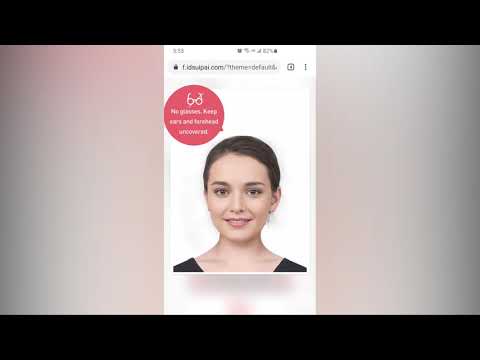
Banishing the 'Wall Shadow'
If you stand directly against a wall, your head will cast a dark shadow. The ICA will reject photos with visible shadows. Stand about 50cm away from the wall to allow light to wrap around you, making the background look uniform.
The 3-Month Rule and Biometric History
Your photo must be taken within the last three months. Singapore’s Ministry of Home Affairs maintains a robust database of your biometric history. If you use the same photo from an old Employment Pass renewal, the system will flag it. The AI compares your new upload against previous records at the ICA and Ministry of Manpower (MOM). If the records are identical to an old file, you will be asked for a fresh photo, delaying your application.
Special Cases: Kids, Religious Headwear, and Glasses
Newborn PR Applicants: The 'Burst Mode' Trick
Taking a photo of a baby that meets ICA specs is difficult. Lay your baby on a white sheet and use "Burst Mode" on your phone. You’ll likely find one frame where their eyes are open and head is straight. For more detail, check out our newborn photo requirements guide.
Religious Requirements and Glasses
- Headwear: Facial features from chin to forehead must be visible. Headgear should be a dark color to contrast with the white background.
- Glasses: While allowed, they often cause "lens reflection" which the AI cannot process. Unless medically necessary, it is safer to remove them for the photo.
Why AI Validation is Your Safety Net
Using a free passport photo app for a basic check or a professional tool like IC Photo Singapore provides a critical safety net. Our AI-powered engine mirrors the screening logic used by the MyICA portal, checking for:
- Exact pixel dimensions (400x514).
- Biometric facial markers.
- Lighting and background purity.
Frequently Asked Questions
What is the Singapore PR photo size in pixels?
The required size is exactly 400 pixels wide by 514 pixels high, with a file size under 1MB.
Can I take my Singapore citizenship photo at home?
Yes, you can take it at home using a smartphone. Ensure you have natural lighting, a white background, and no shadows.
Why was my ICA photo rejected?
Common reasons include poor lighting, face coverage being less than 70%, wearing a white shirt against a white background, or using a photo older than 3 months.
Where to take passport photo Singapore for PR applications?
You can visit a professional studio, use a photo booth, or use an AI-powered ICA compliance check online for the most convenient and accurate results.
Summary Checklist for a 100% Acceptance Rate
Before you hit submit, ensure your photo meets these standards:
- Dimensions: Exactly 400x514 pixels.
- Contrast: Dark clothing (no white shirts).
- Face Size: Head occupies 70-80% of the frame.
- Recency: Taken within the last 90 days.
- Clarity: Eyes open, level, and no glare on glasses.
Applying for Permanent Residency or Citizenship is a marathon. Don't let a technicality slow you down. By using a professional passport photo app, you ensure your application is processed without unnecessary delays. Good luck on your journey to becoming a part of Singapore!
Ready to Create Your Photo?
Get your perfect passport, IC, or visa photo in minutes. AI-powered, ICA-compliant, instant download.
Create Your Photo Now